
Wondering whether your several-year-old laptop can still keep up, or whether it’s time to think about a new one? The answer depends mainly on how it’s been used and maintained.
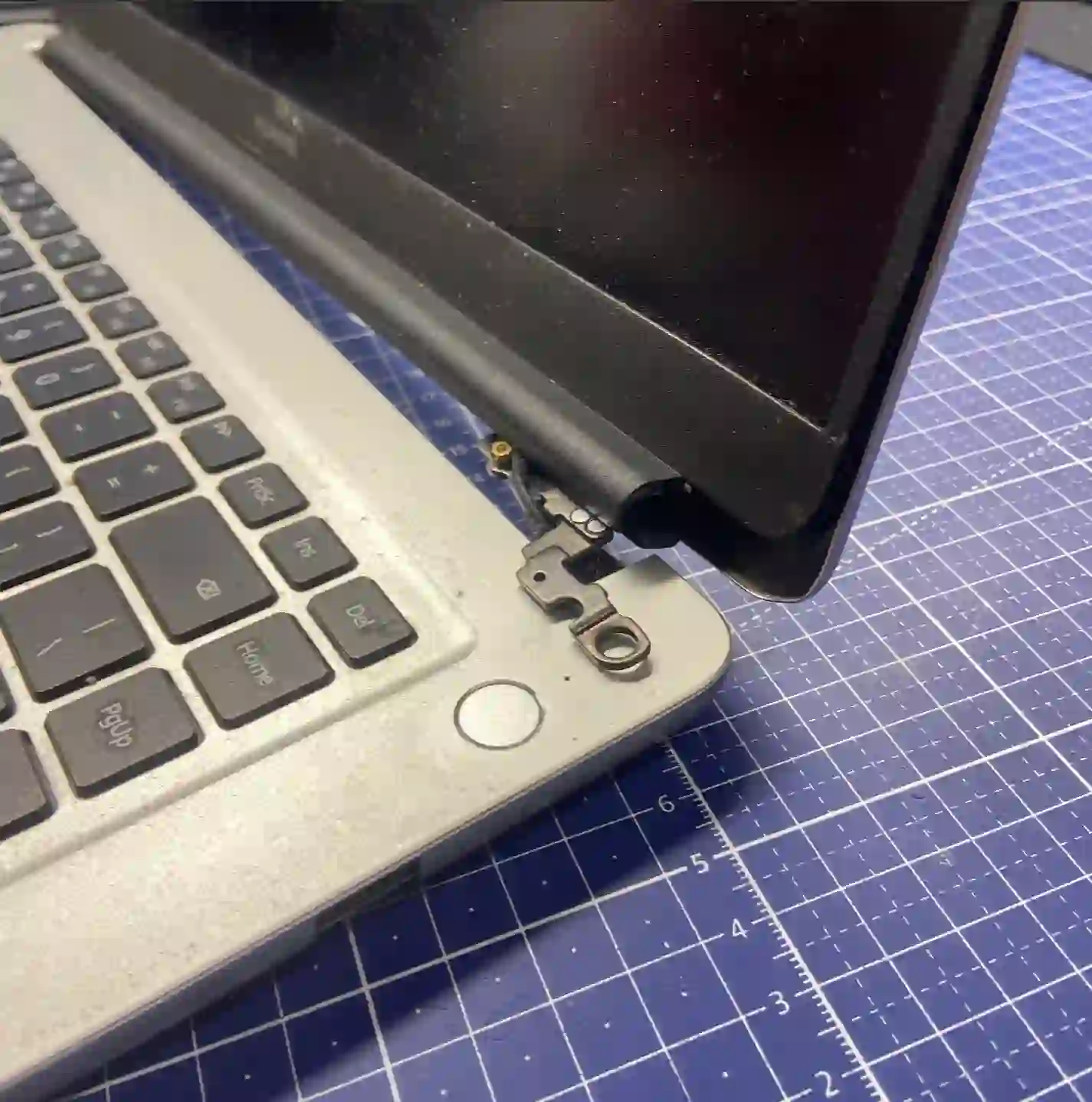
In short: With regular annual maintenance, a laptop can last even 10 years. After about five years, the first signs of wear usually start to appear — hinges, battery and drive. However, manufacturing defects also occur, causing a new laptop to fail after just six months.
Most common causes — from most to least likely
- Natural wear of hinges, which require regular lubrication
- Battery capacity decline with the number of charge cycles
- Drive wear, especially with intensive use
- Less common: manufacturing defects appearing in the first year
What you can check yourself
If your laptop is around five years old, it’s worth paying attention to a few things:
- Check whether the hinges open and close smoothly, without resistance — if they move stiffly, it’s worth lubricating them before the casing cracks
- Notice how long the battery lasts compared to when the laptop was new
- Run a drive speed test, e.g. with HD Tune — a result below 200 MB/s is a sign that it’s worth looking into
- Check processor temperatures under load, e.g. with AIDA64 — thermal throttling means the laptop needs cleaning
What NOT to do
- Don’t ignore resistance in the hinges — it can lead to a cracked case and screen damage
- Don’t assume an old laptop „just has to” get slower — sometimes all it needs is an inspection
- Don’t put off annual maintenance — regularity matters most here
„A laptop can last even 10 years if you clean it every year and keep an eye on temperatures. But factory defects happen too — a new laptop breaking down after six months.”
Apenfix technician
How we diagnose it
1. Free inspection
We check the hinges, battery, drive and temperatures, 5–15 minutes.
2. Condition assessment
We tell you straight how much longer the laptop can serve without major repairs.
3. Maintenance recommendation
We suggest the scope of work needed to extend the device’s lifespan.
4. Carrying out the work
We perform the agreed tasks — cleaning, lubrication, any necessary replacements.
The real lifespan of a laptop depends on the specific model and how it’s used — it’s best to assess this individually.
Laptop condition assessment — we serve all of Warsaw
We accept laptops for inspection and technical assessment from customers in every district of Warsaw — Śródmieście, Wola, Mokotów, Ochota, Żoliborz, Bemowo, Bielany, Ursynów, Praga-Południe, Praga-Północ, Targówek, Białołęka, Wawer, Włochy, Ursus, Wilanów, Rembertów and Wesoła — as well as from the surrounding areas.
We have more than one location in convenient parts of Warsaw, so getting to us is quick and easy wherever you live or work. Our current service point addresses are listed further down this page.
Why Apenfix
Frequently asked questions
Can a laptop last longer than 10 years?
In some cases yes, especially with very regular maintenance — but it depends on the specific model.
What if the laptop broke down after six months?
It could be a manufacturing defect — it’s worth checking whether the device is still under warranty, and regardless, having it diagnosed at our service.
Is it worth repairing a very old laptop?
Almost always there’s a point — we’ll assess it in detail during the free inspection.
Is diagnostics charged?
No, the initial inspection lasting 5–15 minutes is always free.
How often should I have my laptop cleaned?
We recommend an inspection and cleaning once a year.
Current rates can be found in the price list.
Two service points in Warsaw
Visit whichever of our two locations is more convenient for you.
Location 1 — Wolska
Wolska 50A/Lokal 26
01-187 Warszawa
Location 2 — al. Szucha
al. Jana Chrystiana Szucha 1
00-580 Warszawa
See also
- Annual laptop inspection
- How to care for your laptop
- What not to do with your laptop
- Linux Installation
