
Many of the faults we encounter aren’t caused by the laptop’s age, but by two very simple, everyday habits. Check whether you’re making the same mistakes.
In brief: The two most common mistakes that damage laptops are improper system shutdown — closing the lid instead of shutting down via Start — and careless plugging of cables into the USB-C port, which is very delicate and soldered directly to the motherboard.
Most common causes — from most to least likely
- Closing the lid instead of shutting down the system properly
- Careless, crooked plugging of cables into the USB-C port
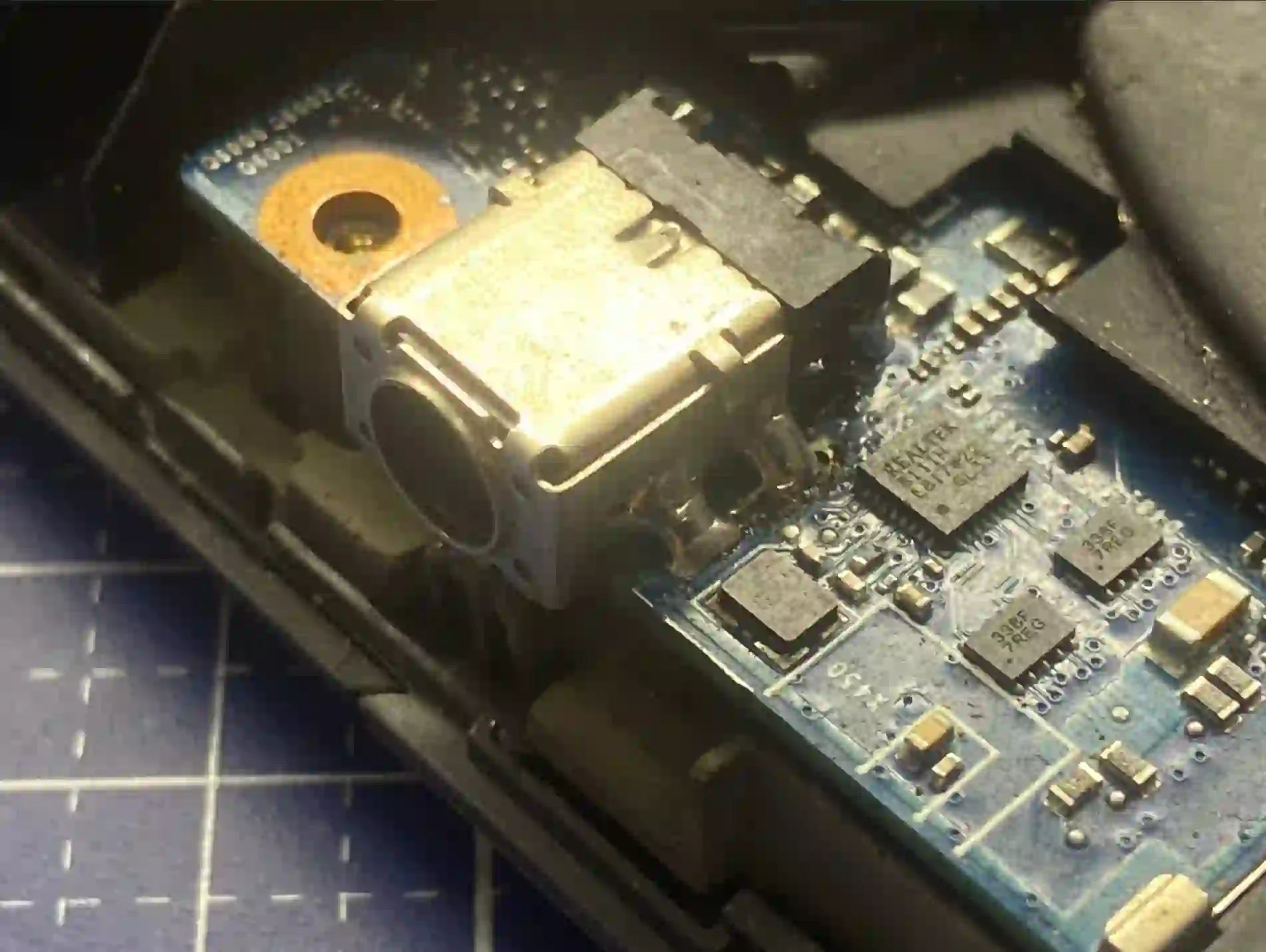
What you can check yourself
Mistake number one is improper laptop shutdown. The correct way is to press Start and select Shut Down. Instead, many people simply close the lid and don’t use the laptop for several days. The laptop then enters sleep mode, but the drive keeps running day and night, the battery gradually drains to zero, until eventually the laptop shuts itself down in an uncontrolled way. This greatly accelerates component wear.
Mistake number two concerns the USB-C port. People plug the cable in at an angle, bend it sideways — but this port is very delicate and soldered directly to the motherboard. One careless movement is enough to damage it. If the traces get torn and need regeneration, that’s effectively a motherboard repair, significantly more expensive than a simple port replacement.
What NOT to do
- Don’t close the lid instead of shutting down the system, especially before a long break from use
- Don’t force the cable into the USB-C port or plug it in at an angle
- Don’t leave a connected cable hanging in a way that puts strain on the port
„People just close the lid and don’t use the laptop for five days. The drive keeps running, the battery drains to zero — and that’s how laptops get damaged.”
Apenfix technician
How we diagnose this
1. Free inspection
We check the condition of the charging port and battery, 5–15 minutes.
2. Damage assessment
We check whether the problem affects only the port or extends to the motherboard.
3. Repair
We replace the port or repair damaged traces on the motherboard.
4. Charging test
We check charging stability before returning the laptop.
Repair time depends on whether the fault affects only the port or has reached the motherboard.
Charging port repair — we serve all of Warsaw
We accept laptops with damaged charging ports from customers in every district of Warsaw — Śródmieście, Wola, Mokotów, Ochota, Żoliborz, Bemowo, Bielany, Ursynów, Praga-Południe, Praga-Północ, Targówek, Białołęka, Wawer, Włochy, Ursus, Wilanów, Rembertów and Wesoła — as well as from the surrounding areas.
We have more than one location in convenient parts of Warsaw, so getting to us is quick and easy wherever you live or work. Our current service point addresses are listed further down this page.
Why Apenfix
Frequently asked questions
Does closing the lid always damage the laptop?
Not in the short term, but if you’re not using it for several days, it’s worth shutting down the system properly to avoid draining the battery to zero.
Is USB-C port repair expensive?
Replacing the port itself is relatively inexpensive, but if traces on the motherboard have been torn off, the cost is higher.
Is the inspection chargeable?
No, the initial 5–15 minute inspection is always free.
How long does charging port repair take?
Usually 1–3 working days, depending on the extent of the damage.
What’s the correct way to shut down a laptop?
Best to use the Start menu and Shut Down option, rather than just closing the lid, especially before a longer break.
Current rates can be found in the price list.
Two service points in Warsaw
Visit whichever of our two locations is more convenient for you.
Location 1 — Wolska
Wolska 50A/Lokal 26
01-187 Warszawa
Location 2 — al. Szucha
al. Jana Chrystiana Szucha 1
00-580 Warszawa
See also
- How to care for your laptop
- How long does a laptop last
- Annual laptop inspection
- MacBook battery replacement
