
Your laptop has noticeably slowed down and you’re wondering whether it’s the drive or the software? You can check this yourself in a few minutes — we’ll show you how, step by step.
In short: You can quickly check the drive’s condition yourself using the free program HD Tune. A result below 50 MB/s means the drive is clearly the problem, while a result of at least 200 MB/s significantly reduces the chance that it’s responsible for the laptop slowing down.
Most common causes — from most to least likely
- Worn or damaged drive
- Outdated system requiring reinstallation
- System load too high relative to the laptop’s age
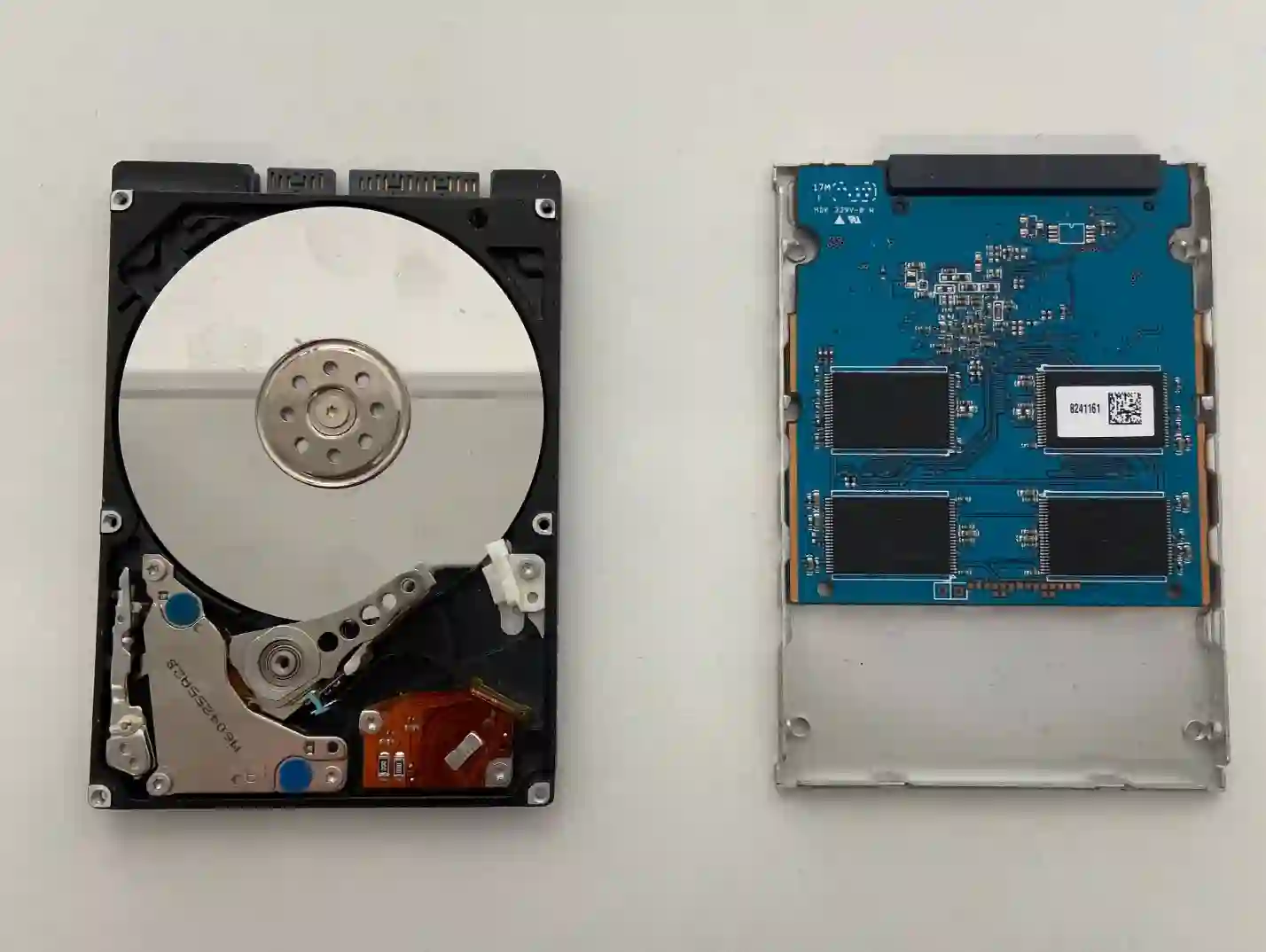
What you can check yourself
We recommend (not advertise) the free program HD Tune, available to download for free in its basic version. After installation, run the drive speed test and pay attention to the result:
- Result below 50 MB/s — this is a clear sign that the drive is the problem
- Result at least 200 MB/s — the chance that it’s the drive is much lower; in this case it’s worth considering reinstalling the system or checking whether the laptop has simply aged
- If the result is around 100 MB/s, it’s worth consulting a repair service — this is a borderline value
What NOT to do
- Don’t delay backing up important data if the test result is low
- Don’t install random 'drive repair programs’ from unknown sources
- Don’t ignore repeated system freezes — they can be an early sign of drive failure
„HD Tune is a very simple program — if the result is below 50 MB/s, it’s almost certainly the drive. If the result is at least 200, the drive is probably not to blame, and you need to look elsewhere for the problem.”
Apenfix technician
How we diagnose it
1. Free inspection
We repeat the drive speed test on our equipment, 5–15 minutes.
2. S.M.A.R.T. data check
We analyse drive health indicators to rule out early signs of failure.
3. System test
We check whether the cause might be an outdated or cluttered system.
4. Recommendation
We tell you straight whether you need a drive replacement or if reinstalling the system will be enough.
Accurate diagnosis depends on the individual condition of the drive and system — best to have it checked at a free inspection.
Drive diagnostics — we serve all of Warsaw
We accept laptops for drive diagnostics from customers in every district of Warsaw — Śródmieście, Wola, Mokotów, Ochota, Żoliborz, Bemowo, Bielany, Ursynów, Praga-Południe, Praga-Północ, Targówek, Białołęka, Wawer, Włochy, Ursus, Wilanów, Rembertów and Wesoła — as well as from the surrounding areas.
We have more than one location in convenient parts of Warsaw, so getting to us is quick and easy wherever you live or work. Our current service point addresses are listed further down this page.
Why Apenfix
Frequently asked questions
Is HD Tune safe to download?
Yes, it’s a popular, free diagnostic tool that’s been available for many years — we recommend it as a suggestion, not an advert.
What if the result is around 100 MB/s?
That’s a borderline value — it’s worth consulting with a service centre at that point to determine the exact cause.
Is replacing the drive expensive?
The price depends on the type and capacity of the drive — we’ll provide an exact quote during the free inspection.
Is the diagnosis chargeable?
No, the initial 5–15 minute inspection is always free.
Will I lose my data when replacing the drive?
If you mention it beforehand, we’ll back up your data before the replacement.
Current rates can be found in the price list.
Two service points in Warsaw
Visit whichever of our two locations is more convenient for you.
Location 1 — Wolska
Wolska 50A/Lokal 26
01-187 Warszawa
Location 2 — al. Szucha
al. Jana Chrystiana Szucha 1
00-580 Warszawa
See also
- How to care for your laptop
- How long does a laptop last
- Annual laptop inspection
- MacBook system installation
