
Vertical lines, coloured patches or flickering have appeared on your laptop screen? It’s unpleasant, but we can usually establish quickly whether the problem lies with the screen itself or just the connection between it and the motherboard — and that’s a huge difference in repair cost. At a free inspection (5–15 minutes) we check this straight away.
In short: lines and image distortion result either from a damaged cable or from the screen itself. Testing with an external monitor immediately shows which direction the diagnostics will take.
Most common causes — from most to least likely
- Damaged or worn screen cable — common at the hinge area, where the cable bends repeatedly when opening and closing the laptop.
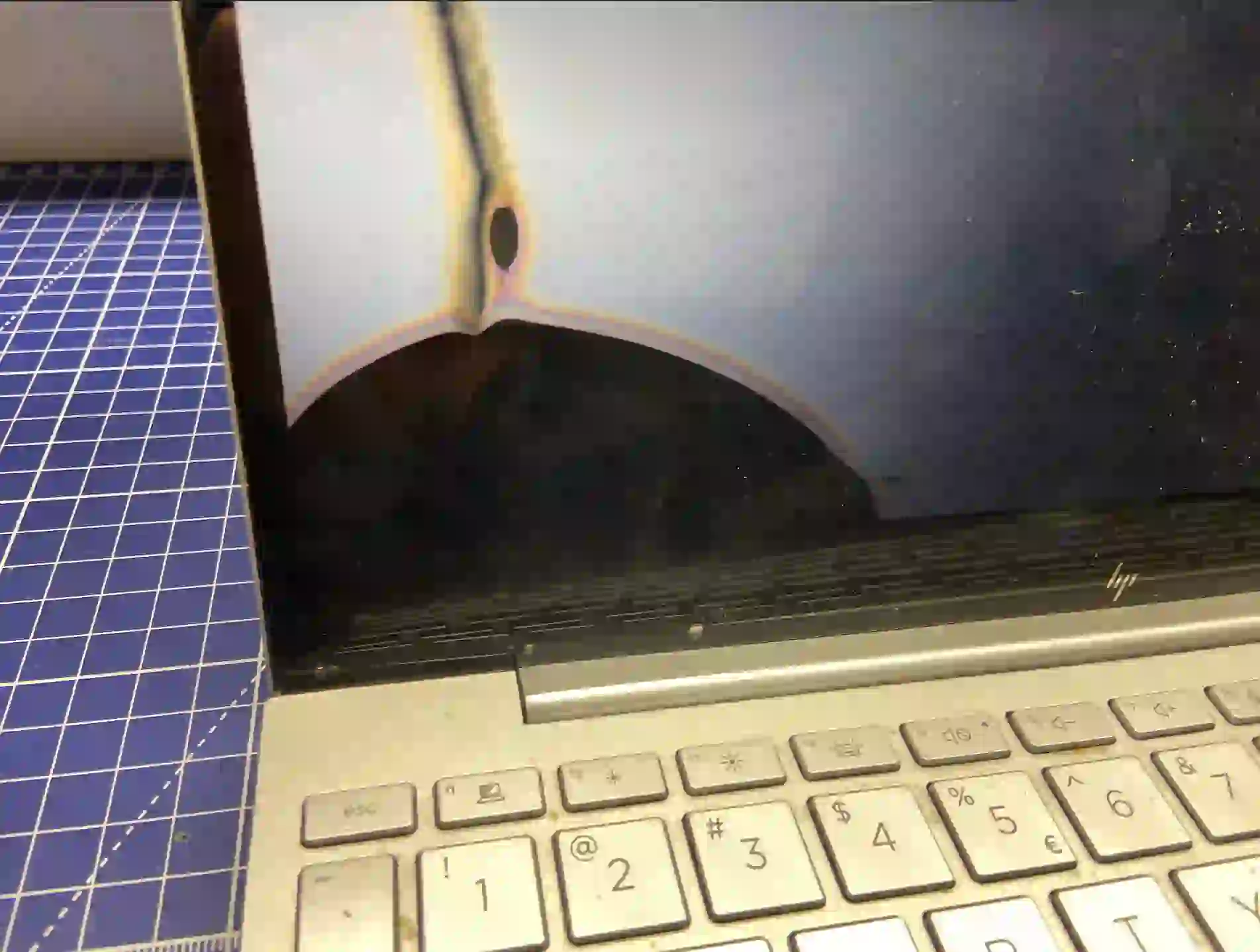
- Damage to the screen itself — a crack in the panel’s internal structure, often after pressure or impact.
- Problem with the graphics chip on the motherboard — a rarer scenario, but possible, especially when distortion is also visible on an external monitor.
What you can check yourself before you come in
- Connect your laptop to an external monitor — if the image is clear there, the problem lies with the screen or cable, not the motherboard.
- Gently change the screen opening angle and observe whether the lines intensify, diminish or disappear — this suggests a cable problem.
- Note whether the lines have a fixed colour and position, or rather flicker and move.
- Check whether the problem appeared suddenly or built up gradually over several days or weeks.
What NOT to do
- Don’t press on the screen trying to „fix” the image — with a damaged screen, this only makes the problem worse.
- Don’t disassemble the screen casing yourself — the cable is easily damaged further during careless disassembly.
- Don’t leave the laptop on with visible damage for longer than necessary „just in case” — it’s better to limit its use until diagnostics are done.
We always check screen lines on an external monitor as the first step — this immediately tells us whether the problem is in the screen itself or in the connection between it and the motherboard. Touchscreens cost significantly more and compatible parts are harder to find, so we always try to rule out the cheaper cause first.
Apenfix technician
How we diagnose it
1. External monitor test
We check whether the distortions are visible only on the laptop screen or also on an external display.
2. Cable inspection
We check the condition and connection of the cable at the hinge area, where wear most commonly occurs.
3. Screen panel test
If the cable is working properly, we test the panel for damage to its internal structure.
4. Graphics system check
In rare cases, when distortions are also visible on an external monitor, we check the motherboard.
Extended diagnostics, if needed, takes 1–3 working days. It’s free if you decide to go ahead with the repair — if you choose not to, the cost is agreed and quoted upfront.
Screen lines repair — we serve all of Warsaw
We accept laptops with screen lines from customers in every Warsaw district — Śródmieście, Wola, Mokotów, Ochota, Żoliborz, Bemowo, Bielany, Ursynów, Praga-Południe, Praga-Północ, Targówek, Białołęka, Wawer, Włochy, Ursus, Wilanów, Rembertów and Wesoła — as well as from the surrounding areas.
We have more than one location in convenient parts of Warsaw, so getting to us is quick and easy wherever you live or work. Our current service point addresses are listed further down this page.
Why Apenfix
Frequently asked questions
Does this always mean a screen replacement?
No, if the cause is the cable, the repair is simpler and much cheaper than replacing the entire panel.
I have a touchscreen — is the repair more expensive?
Yes, touchscreens are significantly more expensive and have worse parts availability than standard panels.
Can the lines get worse over time?
Yes, especially with a damaged cable the problem usually gets worse with continued use.
Can I keep using my laptop with lines on the screen?
You can, but we recommend not delaying diagnostics, as the problem usually gets worse and may limit image visibility.
How long does a screen repair take?
Usually 1–3 working days, depending on the availability of the specific screen model.
The cost depends on the cause — from cable repair to screen replacement, including touchscreens. Current rates can be found in the price list.
Two service points in Warsaw
Visit whichever of our two locations is more convenient for you.
Location 1 — Wolska
Wolska 50A/Lokal 26
01-187 Warszawa
Location 2 — al. Szucha
al. Jana Chrystiana Szucha 1
00-580 Warszawa
