
The laptop screen is black, but you’re not entirely sure whether the device hasn’t started up or simply isn’t displaying an image? This is an important distinction, because it determines where the problem lies — and the good news is that a black screen on a working laptop often turns out to be one of the cheaper repairs. During a free inspection (5–15 minutes), we immediately check which situation we’re dealing with.
In short: if you can hear the fan running but the screen remains black, the most common culprit is a loose or worn screen cable — this is a simpler and cheaper repair than replacing the screen or motherboard.
Most common causes — from most to least likely
- Loose or worn screen cable — the laptop is working normally, but the video signal isn’t reaching the screen. Few people know about this, which is why we always check it first.
- Damage to the screen itself — cracking, backlight failure, or a damaged panel power module.
- The laptop isn’t starting up at all — if you can’t hear the fan and there’s no LED light, this isn’t a screen problem but rather an issue with power or the motherboard.
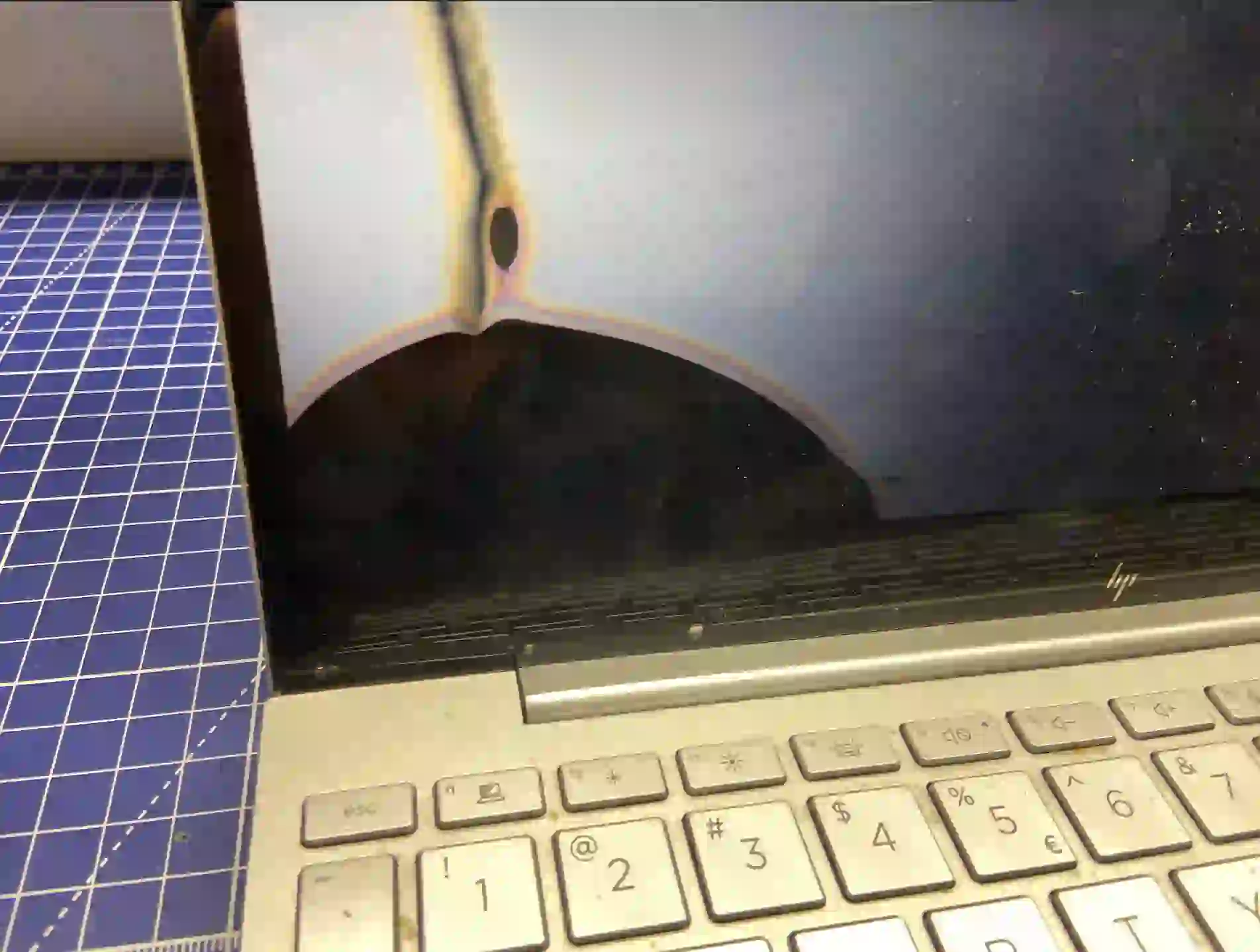
What you can check yourself before coming in
- Listen for the fan running right after switching on — if you hear it, the laptop is most likely working and the problem only affects the display.
- Connect the laptop to an external monitor or TV via HDMI — if an image appears, this confirms the problem lies with the screen or cable, not the motherboard.
- Look at the screen from the side at an angle — sometimes a very dark but faintly visible image indicates a backlight problem rather than a complete loss of signal.
- Gently move the screen lid through different opening positions — if the image briefly appears or flickers, this is an almost certain sign of a cable problem.
What NOT to do
- Don’t unscrew the screen casing yourself — the cable is easy to damage further during careless disassembly.
- Don’t press hard on the screen trying to „check” if it works — if there’s a crack, you’ll only make it worse.
- Don’t leave the laptop on with a black screen for ages „just in case” — if it’s actually a system freeze, it’s better to leave it alone and bring it in for inspection.
A sudden black screen on a working laptop is very often just a loose cable. Not many people know this, so we always check it first — simply reconnecting it is enough, and it works out much cheaper than replacing the screen.
Apenfix technician
How we diagnose it
1. External signal check
We connect an external monitor to establish straight away whether the laptop is generating an image at all.
2. Cable inspection
We check the cable connection at the hinge — this is where it most often frays or comes loose.
3. Screen test
If the cable is fine, we test the screen itself, including the backlight module.
4. Motherboard diagnostics
If no image appears even on an external monitor, we move on to examining the motherboard under a microscope.
Extended diagnostics, if needed, takes 1–3 working days. It’s free if you decide to go ahead with the repair — if you choose not to, the cost is agreed and quoted upfront.
Black screen repair — we cover all of Warsaw
We accept laptops with black screens from customers in every district of Warsaw — Śródmieście, Wola, Mokotów, Ochota, Żoliborz, Bemowo, Bielany, Ursynów, Praga-Południe, Praga-Północ, Targówek, Białołęka, Wawer, Włochy, Ursus, Wilanów, Rembertów and Wesoła — as well as from the surrounding areas.
We have more than one location in convenient parts of Warsaw, so getting to us is quick and easy wherever you live or work. Our current service point addresses are listed further down this page.
Why Apenfix
Frequently asked questions
Black screen, but the laptop is „beeping” — what does that mean?
If you can hear the fan running, the laptop is most likely starting up, and the problem is only with transmitting the image to the screen.
Does this always mean replacing the screen?
No, usually reconnecting the cable is enough — this is a much cheaper repair than replacing the entire panel.
I have a touchscreen laptop — is the repair different?
A touchscreen is a much more expensive component with worse parts availability — that’s why we always check the cable first, to avoid unnecessary costs.
How long does a black screen repair take?
Usually 1–3 working days, depending on whether a cable replacement or a full screen replacement is needed.
Will the diagnostics detect other problems too?
Yes, we also check the overall condition of the laptop to inform you about any other potential issues before they occur.
The repair cost depends on the cause — from reconnecting the cable to replacing the screen. Current rates can be found in the price list.
Two service points in Warsaw
Visit whichever of our two locations is more convenient for you.
Location 1 — Wolska
Wolska 50A/Lokal 26
01-187 Warszawa
Location 2 — al. Szucha
al. Jana Chrystiana Szucha 1
00-580 Warszawa
