
Replacing the hard drive in a Sony laptop at Apenfix helps when the laptop „won’t turn on,” and behind the black or blue screen is actually a damaged or outdated drive. We check the drive’s condition, transfer data, and install a new drive. Repair usually takes 1–3 working days.
In short: Replacing the hard drive in a Sony laptop at Apenfix starts with checking whether the drive is working at all — SSDs rarely „slow down”; they either work or don’t work at all. If the drive is alive, we transfer all data from it; if it’s damaged, we try to recover it. Because Sony is a brand with older laptop designs, we determine the price and repair time after checking the availability of the right drive for the specific model.
Our experience — drives in Sony laptops
We’ve replaced drives in Sony laptops, covering models from this brand. We record every repair in our own integrated service database, so knowledge about specific designs isn’t tied solely to one technician’s memory. Some of our technicians are graduates of the Military University of Technology (WAT) in electronics and telecommunications.
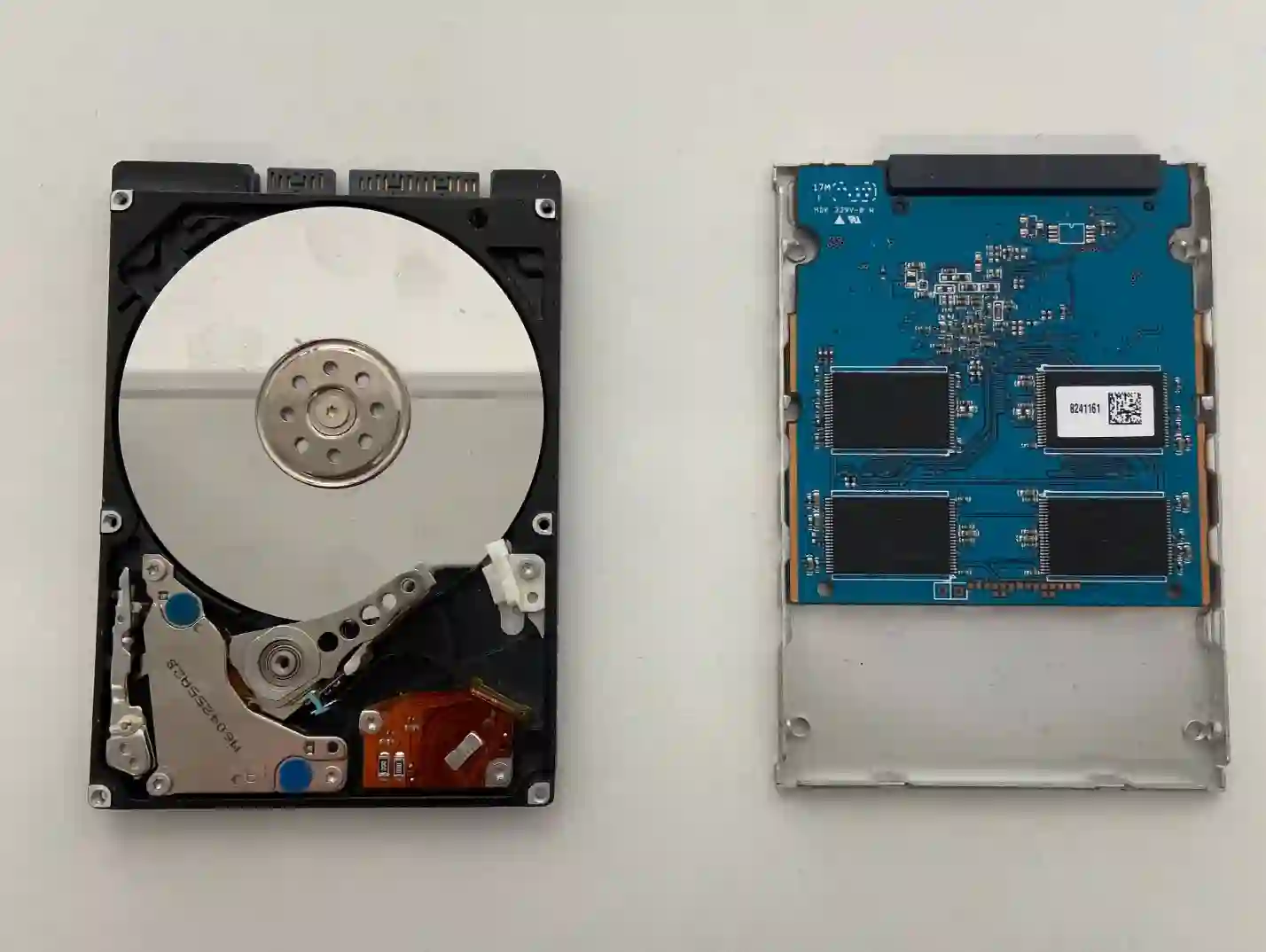
Sony — what we pay attention to when replacing the drive
Sony is a brand with older laptop designs compared to the currently dominant HP, Acer, Dell, or Lenovo on the market — Sony no longer manufactures new laptops, which means the availability of compatible parts, including drives matched to the specific connector and mounting slot, can be limited. That’s why with this brand we always first check whether a standard drive will physically fit in the casing and whether the interface is compatible with the specific, older model, before we determine the final price and repair time.
When you’re looking for a Sony drive replacement
You usually land on this page by typing something into Google like: „Sony laptop won’t turn on black screen,” „Sony Vaio blue screen,” „replace drive with SSD old laptop,” or „Sony laptop doesn’t detect drive.” In many such cases, it’s not the laptop but the drive that’s the source of the problem.
Symptoms — when the drive in a Sony laptop needs replacing
- Laptop won’t start at all, screen stays black
- Blue screen appears when trying to start the system
- System doesn’t detect the drive or reports it’s missing
- Laptop starts very slowly or freezes on the logo
- Drive makes unusual sounds (with HDDs)
- Files suddenly become inaccessible or corrupted
Customers usually say „the laptop won’t turn on,” and after diagnosis it turns out to be the drive. SSDs rarely just slow down—they usually either work or stop working completely. In older models, such as Sony, we always first check whether the drive physically fits the slot in the casing.
Apenfix technician
What happens if you delay replacing the drive
A damaged drive can lose more sectors over time, and each subsequent attempt to start the laptop reduces the chance of full data recovery.
- Drive damage can worsen with each subsequent start-up
- Some files may become permanently unrecoverable
- The laptop may stop starting up altogether
- The scope of recoverable material decreases over time
How Sony drive replacement works at our service centre
1. Drive condition assessment
We check whether the drive is fully functional or damaged.
2. Compatibility check
We verify whether the new drive fits physically and interface-wise in the specific, older Sony model.
3. Data transfer and installation
We transfer data from a working drive or recover it from a damaged one, then install the new drive.
4. Testing operation
We check that the system starts correctly and test the speed of the new drive.
The above describes how the process works at our service centre. This is not a DIY repair guide — attempting repairs yourself on a damaged drive can permanently reduce the chances of recovering your files.
Sony laptop drive replacement — we serve all of Warsaw
We accept Sony laptops for drive replacement from customers in every Warsaw district — Śródmieście, Wola, Mokotów, Ochota, Żoliborz, Bemowo, Bielany, Ursynów, Praga-Południe, Praga-Północ, Targówek, Białołęka, Wawer, Włochy, Ursus, Wilanów, Rembertów and Wesoła — as well as from the surrounding areas.
We have more than one location in convenient parts of Warsaw, so getting to us is quick and easy wherever you live or work. Our current service point addresses are listed further down this page.
Why Apenfix
Frequently asked questions
Can you fit a new drive in an older Sony laptop?
In most cases, yes. We always check drive compatibility with the specific model before confirming the price and repair time.
If a Sony laptop won’t turn on, does that definitely mean the drive is damaged?
Not always, but it’s a very common scenario — many customers say their „laptop won’t turn on”, and after diagnostics it turns out the drive is the cause.
What happens to my data during the drive replacement?
If the drive is working, we transfer all data to the new drive. If it’s damaged, we try to recover the data before fitting the new drive.
How long does a Sony laptop drive replacement take?
Usually 1–3 working days, depending on the availability of the right drive for the specific, older model.
Will a new drive improve the performance of an old Sony laptop?
Usually yes, especially when upgrading from an HDD to an SSD — the laptop runs noticeably faster than before.
Prices for all services can be found in our price list.
Two service points in Warsaw
Visit whichever of our two locations is more convenient for you.
Location 1 — Wolska
Wolska 50A/Lokal 26
01-187 Warszawa
Location 2 — al. Szucha
al. Jana Chrystiana Szucha 1
00-580 Warszawa
