
Laptop that used to run smoothly now barely boots the system and struggles with every programme? Before you decide to buy new hardware, consider an upgrade — combining a RAM expansion with an SSD installation usually delivers the biggest noticeable performance boost you can achieve without replacing the entire laptop. We typically complete the work in 1–3 working days.
In short: what looks like general laptop „fatigue” usually comes down to two things — not enough RAM and a slow, mechanical, or outdated drive. Done separately, each brings improvement, but done together, they produce an effect clients describe as „like it’s a completely different laptop”.
Our experience in laptop upgrades
We offer RAM and SSD upgrades as a single service, because in practice these two components have the biggest impact on how fast your laptop feels. Before the upgrade, we check actual memory usage in Task Manager, and for the drive we rely on our diagnostic experience — very often what looks like lack of power turns out to be a slow drive. SSDs rarely work 'poorly’ — they either run smoothly or fail completely, which is why drive replacement is the single most common outcome of our diagnostics.
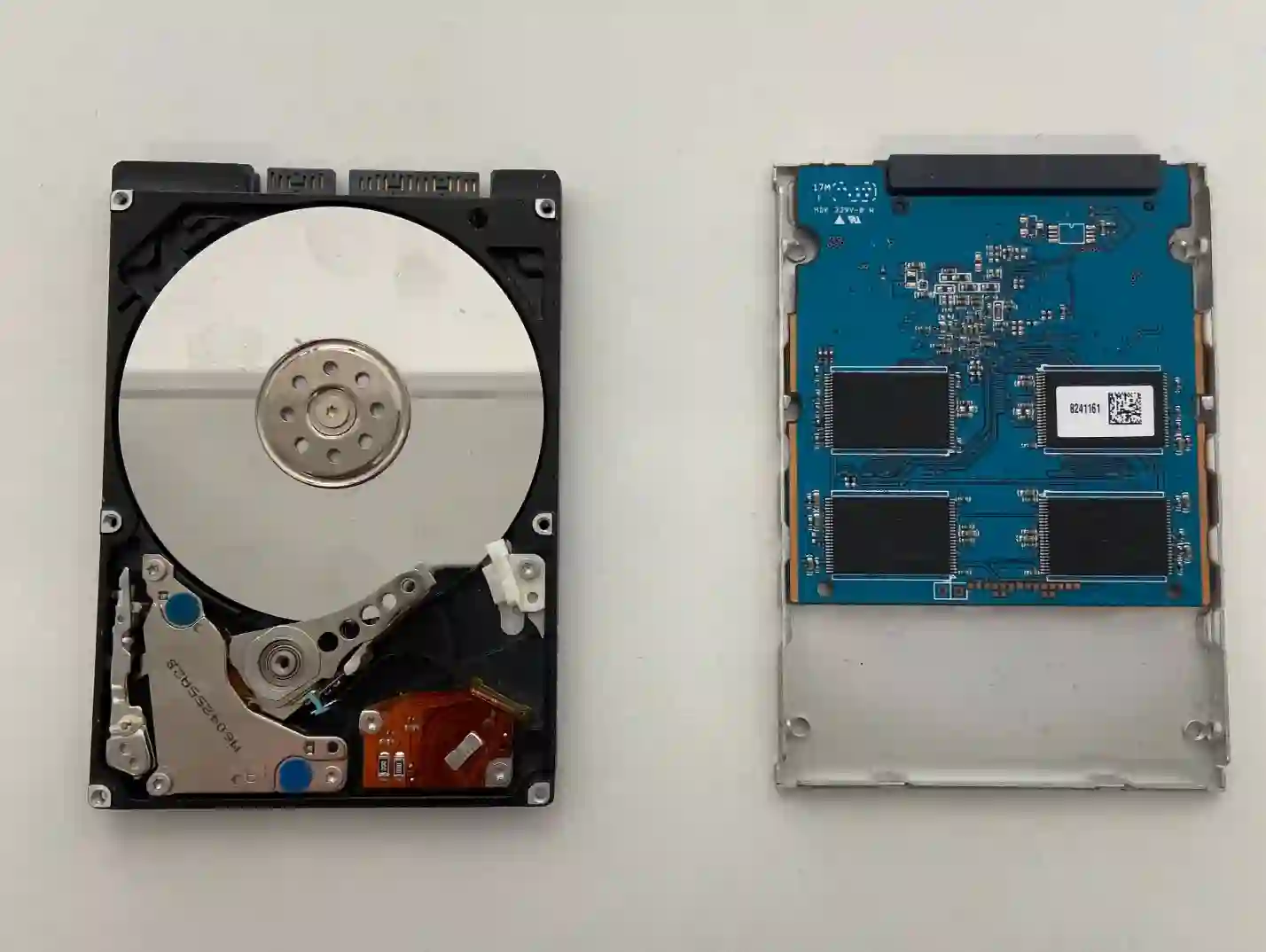
Why RAM and SSD together give the biggest performance boost
These two components are responsible for two different things that together create the feeling of a „fast” laptop:
- RAM determines how many programs and browser tabs your laptop can handle at once without slowing down
- SSD determines how quickly the system boots up and how fast programs and files open
Upgrading only one of these components often gives you a „it’s a bit better, but something’s still missing” effect — because the second bottleneck is still there. That’s why if your laptop has both too little RAM and an older drive, upgrading both at once is the solution that makes economic sense: you do it once, in a single visit, instead of coming back a few months later with the same problem.
When you’re looking for help with a laptop upgrade
We get customers looking for answers to questions like: „how to speed up an old laptop”, „RAM or SSD, which first”, „laptop starts slowly and runs slowly” or „is it worth upgrading a laptop instead of buying a new one”. If any of these questions sound familiar, you’re in the right place.
Signs that it’s time to consider an upgrade
- The system takes noticeably longer to start up than it used to
- Graphics or office programs freeze when many tabs are open
- Opening files and programs takes noticeably longer than before
- The laptop still has a mechanical hard drive (HDD) and 8 GB of RAM or less
- General feeling that the laptop is „barely alive” during everyday tasks
Most often it’s not a single component that’s responsible for the laptop slowing down, but a combination of low RAM and an old hard drive. By upgrading both at once, the customer gets an effect they can really feel from the first boot — not just a slight improvement that will soon stop being enough anyway.
Apenfix technician
What happens if you delay the upgrade
- The laptop will become increasingly noticeably slow during everyday work
- The risk of an older mechanical hard drive failing and losing data increases over time
- Frustration and wasted time on simple tasks accumulate day by day
- It may turn out that buying a new laptop wasn’t necessary at all — upgrading the old one would have been perfectly sufficient
How the upgrade works at our service centre
1. Free inspection
We check RAM usage in Task Manager and the condition and type of hard drive. This takes 5–15 minutes.
2. Component selection
We select RAM and SSD compatible with your laptop model, matched to your budget.
3. Installation and data migration
We install new components and, if necessary, migrate the system and data to the new SSD.
4. Stability test
We check system stability under load, and you can confirm for yourself when you collect the laptop that it’s running faster.
Repair time may vary depending on component availability and any data migration required.
Laptop upgrades — we serve all of Warsaw
We accept laptops for upgrades from clients in every Warsaw district — Śródmieście, Wola, Mokotów, Ochota, Żoliborz, Bemowo, Bielany, Ursynów, Praga-Południe, Praga-Północ, Targówek, Białołęka, Wawer, Włochy, Ursus, Wilanów, Rembertów and Wesoła — as well as from the surrounding areas.
We have more than one location in convenient parts of Warsaw, so getting to us is quick and easy wherever you live or work. Our current service point addresses are listed further down this page.
Why Apenfix
Frequently asked questions
Which gives a bigger boost — RAM or SSD?
It depends on the specific case. An SSD usually speeds up system and program start-up the most, whilst RAM lets you keep more applications open at once without slowdowns. Done together, they give the biggest, most noticeable improvement.
Is upgrading an old laptop worth it?
In many cases, yes — if the rest of the components (processor, screen, keyboard) are working properly, upgrading RAM and SSD can genuinely extend a laptop’s useful life by several years, at a much lower cost than buying new hardware.
Will I lose data during the upgrade?
No — if we’re replacing the drive, we migrate the system and data to the new storage as standard. It’s always worth having your own backup of important files before bringing the laptop in for service.
How long does a laptop upgrade take?
Usually 1–3 working days, depending on component availability and the time needed for data migration.
The exact cost of an upgrade depends on the laptop model and the chosen RAM and SSD capacity. You’ll find current prices in the price list.
Two service points in Warsaw
Visit whichever of our two locations is more convenient for you.
Location 1 — Wolska
Wolska 50A/Lokal 26
01-187 Warszawa
Location 2 — al. Szucha
al. Jana Chrystiana Szucha 1
00-580 Warszawa
See also
- RAM upgrade
- Hard drive replacement in Dell laptop
- Is it worth repairing an old laptop
- How much RAM does a laptop need
