
Has your Lenovo ThinkPad started running louder or getting hotter than it used to? Even in a machine as solidly built as a ThinkPad, the cooling system needs servicing over time. Repairs typically take 1–3 working days.
In short: The Lenovo ThinkPad is a business classic, very solidly built, and often appears on the second-hand market from companies with unknown service history. We measure temperatures, completely dismantle and clean the ThinkPad’s cooling system, and always replace the thermal paste.
Our experience with Lenovo ThinkPad
We’ve cleaned the cooling system in 5 Lenovo ThinkPad laptops. This is Lenovo’s business classic — very solid construction, with a large number of ex-lease units on the second-hand market.
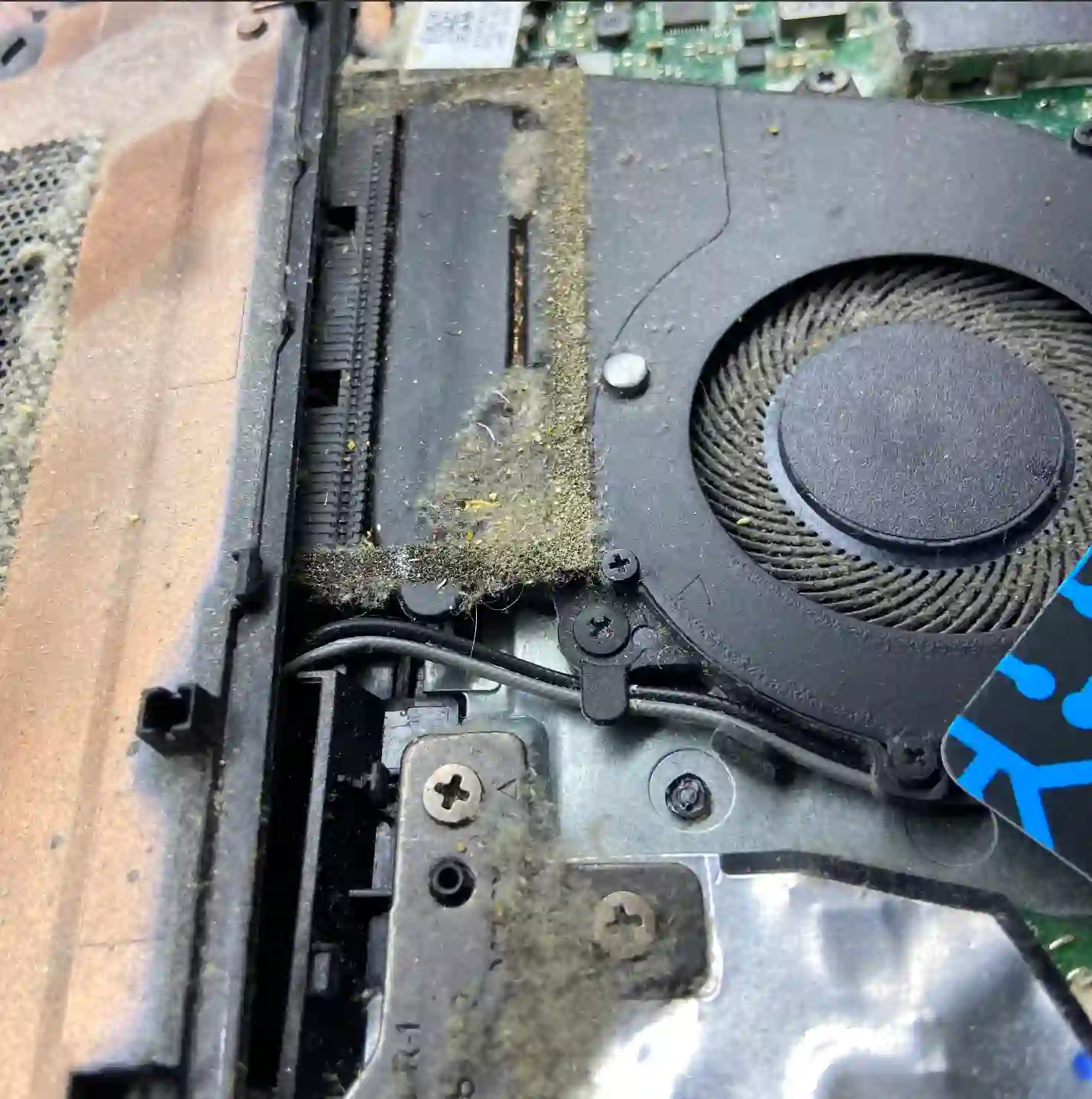
ThinkPad — business-grade construction with full technical documentation
The ThinkPad is one of the best-documented laptops on the market — full technical documentation makes our work much easier during disassembly and parts selection. Many units come to us from the second-hand market, from companies where the laptop’s service history is often unknown, so when cleaning the cooling system we always check the actual condition inside, rather than relying solely on the device’s age.
When you’re looking for help with your ThinkPad
You find us by searching „Lenovo ThinkPad loud fan”, „ThinkPad overheating” or „ThinkPad cooling cleaning Warsaw”.
Symptoms of a clogged cooling system in a ThinkPad
- Fan running louder than usual
- Laptop getting hot underneath or near the keyboard
- Noticeable performance drop under load
- Laptop shuts down by itself after extended use
The ThinkPad’s full technical documentation makes our work much easier — we know exactly how to safely access the cooling system in each model.
Apenfix technician
What happens if you delay
- Risk of processor damage from prolonged overheating
- Motherboard failure resulting from operation at high temperatures
- Accelerated battery wear caused by heat
How cooling system cleaning works at our service centre
1. Free inspection
We measure your laptop’s temperatures — this takes 5–15 minutes.
2. Disassembly and cleaning
Using full technical documentation, we remove the fan and thoroughly clean the interior.
3. Thermal paste replacement
We always replace the thermal paste, regardless of its condition.
4. Testing and warranty
We test the laptop under load and provide a minimum 3-month warranty.
Repair time may vary depending on parts availability and service centre workload.
ThinkPad cooling system cleaning — we serve all of Warsaw
We accept ThinkPad laptops from clients in every Warsaw district — Śródmieście, Wola, Mokotów, Ochota, Żoliborz, Bemowo, Bielany, Ursynów, Praga-Południe, Praga-Północ, Targówek, Białołęka, Wawer, Włochy, Ursus, Wilanów, Rembertów and Wesoła — as well as from the surrounding areas.
We have more than one location in convenient parts of Warsaw, so getting to us is quick and easy wherever you live or work. Our current service point addresses are listed further down this page.
Why Apenfix
Frequently asked questions
Does a refurbished ThinkPad require more frequent cleaning?
It depends on the usage history, which we often don’t know with second-hand equipment. That’s why we always measure the actual condition rather than assuming it in advance.
Does having full technical documentation for a ThinkPad make a difference?
Yes, it means we know exactly how to safely access the cooling system in a given model, which makes the service faster and more reliable.
How often should I clean the cooling system in a ThinkPad?
With typical business use, we recommend an inspection every one to two years.
How do you know it’s definitely the cooling system?
During the free inspection, we measure temperatures — that clearly shows the source of the problem.
How long does cooling system cleaning take in a ThinkPad?
Usually 1–3 working days.
The exact cost of cooling system cleaning in a Lenovo ThinkPad is determined individually after a free inspection. You’ll find the current price list under the button above.
Two service points in Warsaw
Visit whichever of our two locations is more convenient for you.
Location 1 — Wolska
Wolska 50A/Lokal 26
01-187 Warszawa
Location 2 — al. Szucha
al. Jana Chrystiana Szucha 1
00-580 Warszawa
See also
- Lenovo ThinkPad diagnostics
- Lenovo ThinkPad system installation
- Lenovo ThinkPad battery replacement
- Lenovo IdeaPad cooling system cleaning
