
Charging port repair for Huawei laptops at Apenfix solves the problem when the charger plug moves loosely in the port and charging cuts out at the slightest movement. We check with a current tester and fix the fault at its source. Repair usually takes 1–3 working days.
In short: Charging port repair for Huawei laptops at Apenfix starts with checking using a tester whether current is coming out of the charger at all. If current is flowing but the battery still won’t charge — the problem lies with the battery. If no current is reaching the laptop at all — the port itself is at fault, which we replace, including USB-C ports, and thanks to microscopes we can also restore damaged traces on the motherboard.
Our experience — Huawei laptops
We have repaired charging ports in Huawei laptops, covering models of this brand. We record every repair in our own integrated service database, so that knowledge about specific designs is not tied solely to one technician’s memory. Some of our technicians are graduates of the Military University of Technology (WAT) in electronics and telecommunications.
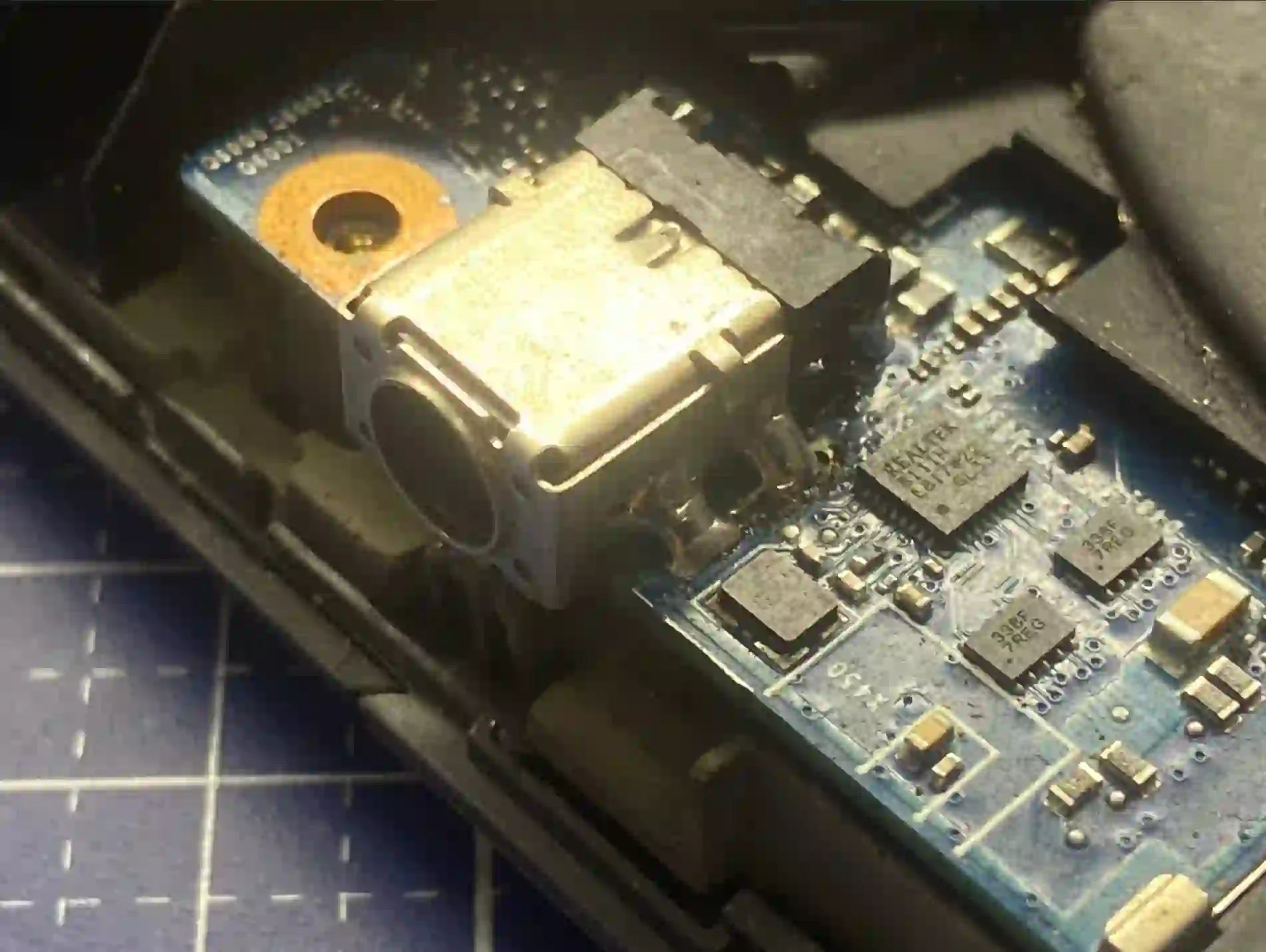
Huawei — what we pay attention to when repairing the charging port
Many Huawei laptops charge via a USB-C port, which can also be used to connect a monitor or other peripheral devices — this means the port is used more frequently than the classic, dedicated power socket on other brands, and consequently wears out mechanically faster. Because Huawei is a less widespread brand than HP, Acer, Dell or Lenovo, after diagnosing the fault we always check the availability of a suitable replacement USB-C port for the specific model before giving the final repair price.
When you’re looking for Huawei charging port repair
You usually land on this page by typing something into Google like: „Huawei USB-C port is loose”, „Huawei MateBook laptop won’t charge”, „charging cuts out when I move the cable” or „charging port repair Warsaw”. It’s worth acting quickly — a loose port will increasingly damage surrounding components over time.
Symptoms — when a Huawei charging port needs repair
- The charger plug moves noticeably loosely in the USB-C port
- Charging cuts out and comes back when you move the cable
- The laptop only charges in one specific position of the cable
- The charging LED flashes or doesn’t light up at all
- The laptop charges very slowly despite the charger being plugged in
- Visible bending or mechanical looseness of the port itself
We always start with a tester — we check whether current is coming out of the charger at all. If it is, but the battery isn’t charging, the battery is at fault. If there’s no current at all, the problem is in the port — and thanks to our microscopes, we can recover even damaged traces on the motherboard, instead of replacing the entire motherboard straight away.
Apenfix technician
What happens if you delay repairing the charging port
A loose charging port rarely fixes itself — over time the problem clearly worsens and starts damaging other components.
- Uneven power supply gradually damages the battery
- Mechanical looseness of the port deepens with each use
- In extreme cases, a short circuit can occur and damage the motherboard
- A repair that at an early stage would be limited to the port may involve more components
How Huawei charging port repair works at our service centre
1. Current test
We check with a tester whether current is coming out of the charger at all and reaching the laptop.
2. Fault localisation
We determine whether the problem lies in the USB-C port or in the battery itself.
3. Replacement or regeneration
We replace the USB-C port, and if traces are damaged, we regenerate them under a microscope.
4. Charging test
We check charging stability with the cable in different positions after the repair.
Above we describe how the process looks at our service centre. This is not a DIY repair guide — replacing a charging port requires soldering and working under a microscope; attempting it yourself can permanently damage the motherboard.
Huawei charging port repair — we serve all of Warsaw
We accept Huawei laptops with damaged charging ports from customers in every Warsaw district — Śródmieście, Wola, Mokotów, Ochota, Żoliborz, Bemowo, Bielany, Ursynów, Praga-Południe, Praga-Północ, Targówek, Białołęka, Wawer, Włochy, Ursus, Wilanów, Rembertów and Wesoła — as well as from the surrounding areas.
We have more than one location in convenient parts of Warsaw, so getting to us is quick and easy wherever you live or work. Our current service point addresses are listed further down this page.
Why Apenfix
Frequently asked questions
How can I tell if the problem is the port or the battery?
We use a tester to check whether any current is coming out of the charger at all. If it is, but the laptop still won’t charge, the battery is to blame. If there’s no current at all, the problem lies in the port.
Why does the USB-C port on Huawei laptops wear out faster?
The same port is often used both for charging and for connecting a monitor or other devices, so it gets used more frequently and wears out mechanically faster.
Can the port be repaired without replacing the entire motherboard?
Yes. Thanks to our microscopes, we can regenerate individual damaged traces on the board instead of replacing it entirely.
How long does a Huawei charging port repair take?
Usually 1–3 working days, depending on the availability of a compatible USB-C port for the specific model.
What will happen if I keep using the laptop with a loose port?
Uneven power supply gradually damages the battery, and the loose port can eventually cause a short circuit and damage the motherboard.
Prices for all services can be found in our price list.
Two service points in Warsaw
Visit whichever of our two locations is more convenient for you.
Location 1 — Wolska
Wolska 50A/Lokal 26
01-187 Warszawa
Location 2 — al. Szucha
al. Jana Chrystiana Szucha 1
00-580 Warszawa
