
HP laptop keyboard replacement in Warsaw — keys not responding, pressing themselves, or broken plastic keycap. We repair and replace keyboards without replacing the entire top case. Repair usually takes 1–3 working days.
In brief: HP laptop keyboard replacement in Warsaw starts with determining whether the problem affects one key (usually dust) or an entire row of keys (usually moisture). We don’t replace the entire top case — thanks to our own keyboard desoldering technology and 3D printing, we replace just the keyboard, which works out significantly cheaper. Repair usually takes 1–3 working days.
Our experience — HP laptop keyboard replacements
At our service centre in Warsaw, we’ve carried out 11 HP laptop keyboard replacements. We most often see models from the Pavilion, Envy, EliteBook and ProBook series.
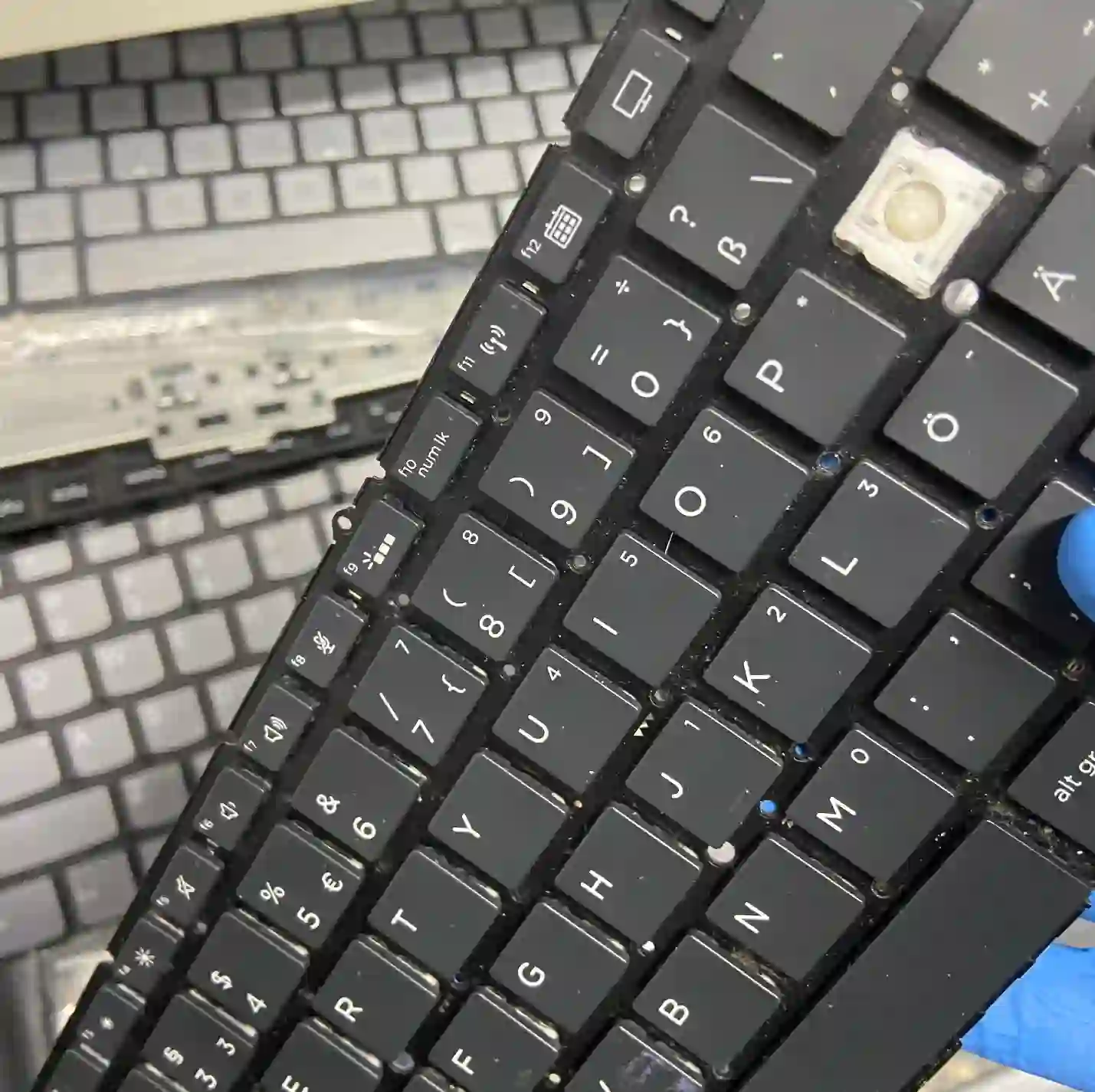
HP — why we don’t replace the entire case
Many service centres replace the entire top case when the keyboard fails, because they don’t have the technology to replace just the keyboard. We use that technology — we desolder just the keyboard and, where needed, 3D-print missing mounting elements. In HP business models such as EliteBook and ProBook, replacing just the keyboard instead of the entire case means a noticeably lower repair cost with the same result.
When you’re looking for HP keyboard replacement
You usually land on this page when searching for answers to questions like „HP keyboard not working”, „HP keys pressing themselves”, „broken HP keyboard” or „how much does HP laptop keyboard replacement cost”. In all these situations, we start by checking whether the problem affects one key or a larger area.
Symptoms — damaged HP keyboard
- One key doesn’t work or works with a delay
- An entire row or strip of keys stops working at once
- Keys press themselves without being touched
- Broken plastic keycap
- Keyboard doesn’t respond at all after liquid damage
If a single key stops working, it’s usually just dust — cleaning is enough. If an entire row or section of keys stops working at once, it’s almost always moisture — keyboards „die in sections”.
Apenfix technician
What happens if you delay keyboard repair
A damaged keyboard, especially after liquid damage, rarely fixes itself, and continued use of the laptop can make the problem worse.
- Moisture under the keyboard can damage other components over time
- Self-pressing keys make everyday work difficult
- A cracked keycap can continue to crumble
- The more keys that stop working, the more difficult and expensive the repair
How HP keyboard replacement works at our service centre
1. Free inspection
We check whether the problem affects a single key or the entire keyboard area.
2. Cleaning or removal
For a single key, cleaning is sufficient. For more extensive damage, we remove the keyboard for replacement.
3. Installing the new keyboard
We install the new keyboard, 3D-printing any missing mounting elements if needed.
4. Testing every key
We test each key individually before returning the laptop.
The above describes how the process works at our service centre. This is not a DIY repair guide — attempting to dismantle the keyboard yourself without proper tools risks permanent damage to the casing.
HP keyboard replacement — we serve all of Warsaw
We accept HP laptops with damaged keyboards from customers in every Warsaw district — Śródmieście, Wola, Mokotów, Ochota, Żoliborz, Bemowo, Bielany, Ursynów, Praga-Południe, Praga-Północ, Targówek, Białołęka, Wawer, Włochy, Ursus, Wilanów, Rembertów and Wesoła — as well as from surrounding areas.
We have more than one location in convenient parts of Warsaw, so getting to us is quick and easy wherever you live or work. Our current service point addresses are listed further down this page.
Why Apenfix
Frequently asked questions
Do you replace the entire casing when replacing the keyboard?
No, we replace just the keyboard using desoldering technology and 3D printing. This works out significantly cheaper than replacing the entire top casing.
Only one key isn’t working — what should I do?
Usually cleaning is enough — a single non-working key is typically a matter of dust underneath.
I’ve spilt liquid on the keyboard, what now?
Turn off the laptop, disconnect the power and bring it to the service centre as quickly as possible — time is critical here.
How much does HP keyboard replacement cost?
The price depends on the model and extent of damage. You’ll find current rates in our price list.
How long does HP keyboard replacement take?
Usually 1–3 working days, counting from the completion of diagnostics.
Prices for all services can be found in our price list.
Two service points in Warsaw
Visit whichever of our two locations is more convenient for you.
Location 1 — Wolska
Wolska 50A/Lokal 26
01-187 Warszawa
Location 2 — al. Szucha
al. Jana Chrystiana Szucha 1
00-580 Warszawa
