
A laptop graphics card rarely fails „for no reason”. Usually, the same recurring causes are behind it — wear, overheating, or voltage spikes. At Apenfix in Warsaw, we see this every day, which is why we show what actually affects graphics card lifespan and how to prevent it.
In brief: A graphics card fails mainly for three reasons — natural wear of the microchip, chronic overheating, and power supply voltage spikes. All three causes act over time, not immediately, which is why regular laptop cooling maintenance genuinely extends graphics card life.
Most common causes of graphics card failure
- Wear — BGA microchips simply wear out over time, especially with intensive laptop use
- Overheating — high operating temperatures gradually damage solder joints and the chip itself
- Voltage spikes — sudden power fluctuations can permanently damage delicate integrated circuits
What you can check yourself
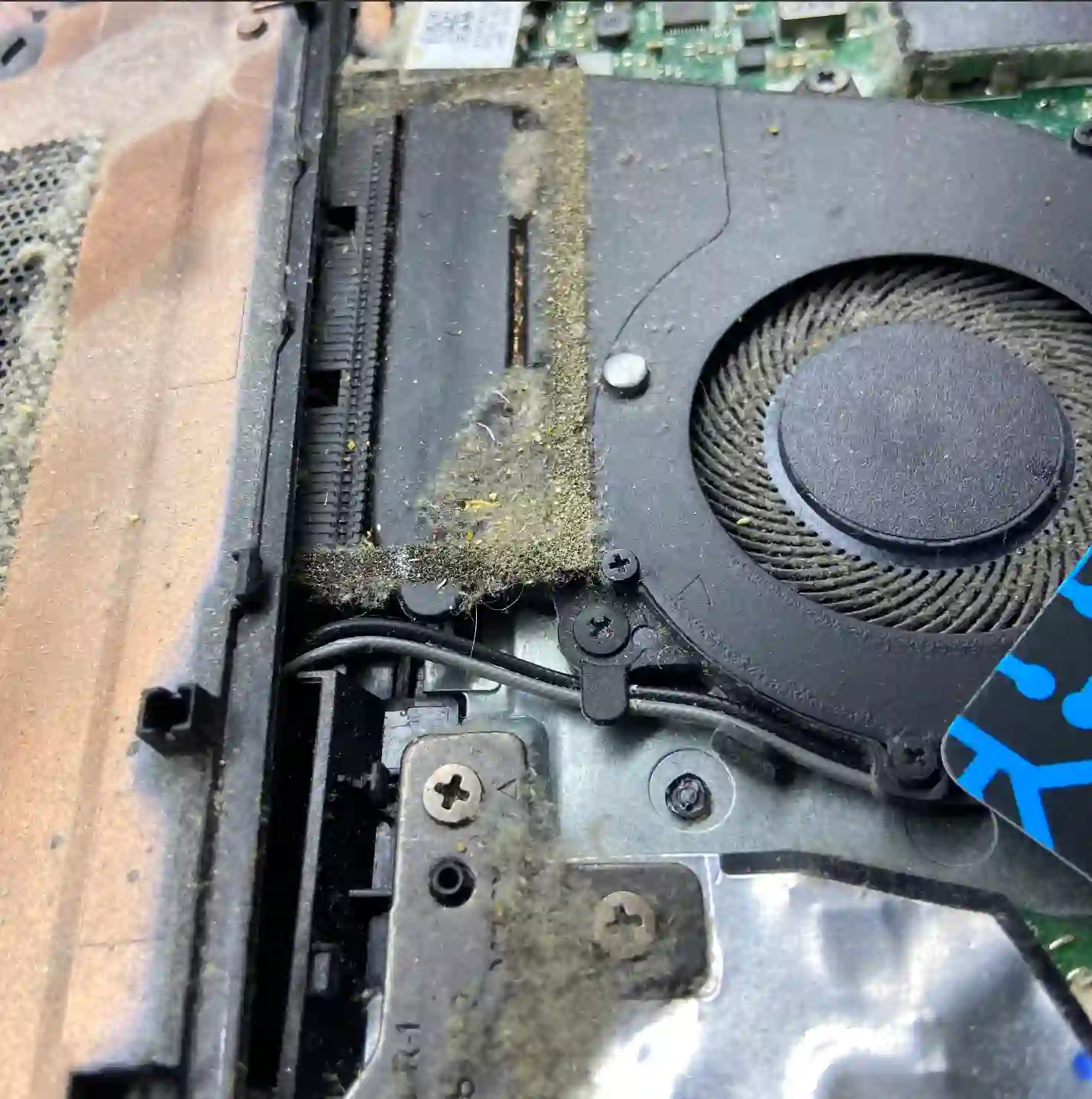
Check whether your laptop gets very hot during normal use and the fan runs loudly even during simple tasks — this is a sign that the cooling system may be clogged with dust, which directly accelerates graphics card wear. Also pay attention to whether the laptop runs on stable power — frequent use of unreliable power sources (e.g. extension cords without surge protection) increases the risk of voltage spikes.
Regular cooling system cleaning — ideally once every dozen or so months — genuinely extends the life of the graphics card and processor, because it limits the main cause of overheating.
What NOT to do
- Don’t use your laptop on soft surfaces (bed, blanket) — this blocks ventilation openings
- Don’t ignore a loudly running fan — it’s often the first sign of overheating
- Don’t put off cooling system cleaning „for later” — dust accumulates gradually, and so does the damage
Wear, overheating, voltage spikes — microchips fail from these over time. Overheating leads to graphics card and processor failure, which is why regular cooling system cleaning genuinely extends the life of these components.
Apenfix technician
How we diagnose it
1. Cooling system condition assessment
We check whether the cooling system is clogged with dust and whether this could have contributed to the failure.
2. Power consumption measurement
Using a laboratory power supply, we check how the graphics card behaves under load.
3. Board inspection under microscope
We look for signs of overheating or damage typical of voltage spikes.
4. Repair and preventive maintenance recommendation
We propose a repair and — if it will help — cooling system cleaning to reduce the risk of recurring failure.
The above causes are the most common, but not the only possible ones. We always determine the exact cause of graphics card failure during a free inspection.
Graphics card repair and preventive maintenance — we serve all of Warsaw
We accept laptops with damaged graphics cards, as well as those requiring preventive cooling system cleaning, from customers in every Warsaw district — Śródmieście, Wola, Mokotów, Ochota, Żoliborz, Bemowo, Bielany, Ursynów, Praga-Południe, Praga-Północ, Targówek, Białołęka, Wawer, Włochy, Ursus, Wilanów, Rembertów and Wesoła — and also from the surrounding areas.
We have more than one location in convenient parts of Warsaw, so getting to us is quick and easy wherever you live or work. Our current service point addresses are listed further down this page.
Why Apenfix
Frequently asked questions
Does cooling system cleaning really protect the graphics card?
Yes — reducing overheating is one of the most effective ways to extend graphics card life.
How often should you clean a laptop’s cooling system?
It depends on usage conditions, but it’s usually worth doing once every dozen or so months.
Can voltage spikes really damage a graphics card?
Yes, it’s one of the more common causes of BGA chip failure, alongside wear and overheating.
Can graphics card wear be predicted?
Not always, but taking care of cooling and stable power supply significantly reduces the risk of premature failure.
How long does graphics card repair take once the cause is identified?
Most repairs take 1–3 working days, though replacing the chip itself may take longer.
The cost of repair depends on the cause of failure and the repair method. Current rates can be found in the Apenfix price list.
Two service points in Warsaw
Visit whichever of our two locations is more convenient for you.
Location 1 — Wolska
Wolska 50A/Lokal 26
01-187 Warszawa
Location 2 — al. Szucha
al. Jana Chrystiana Szucha 1
00-580 Warszawa
See also
- Motherboard repair — when it’s worth it
- BGA reballing
- Lenovo cooling system cleaning
- Laptop overheating
