
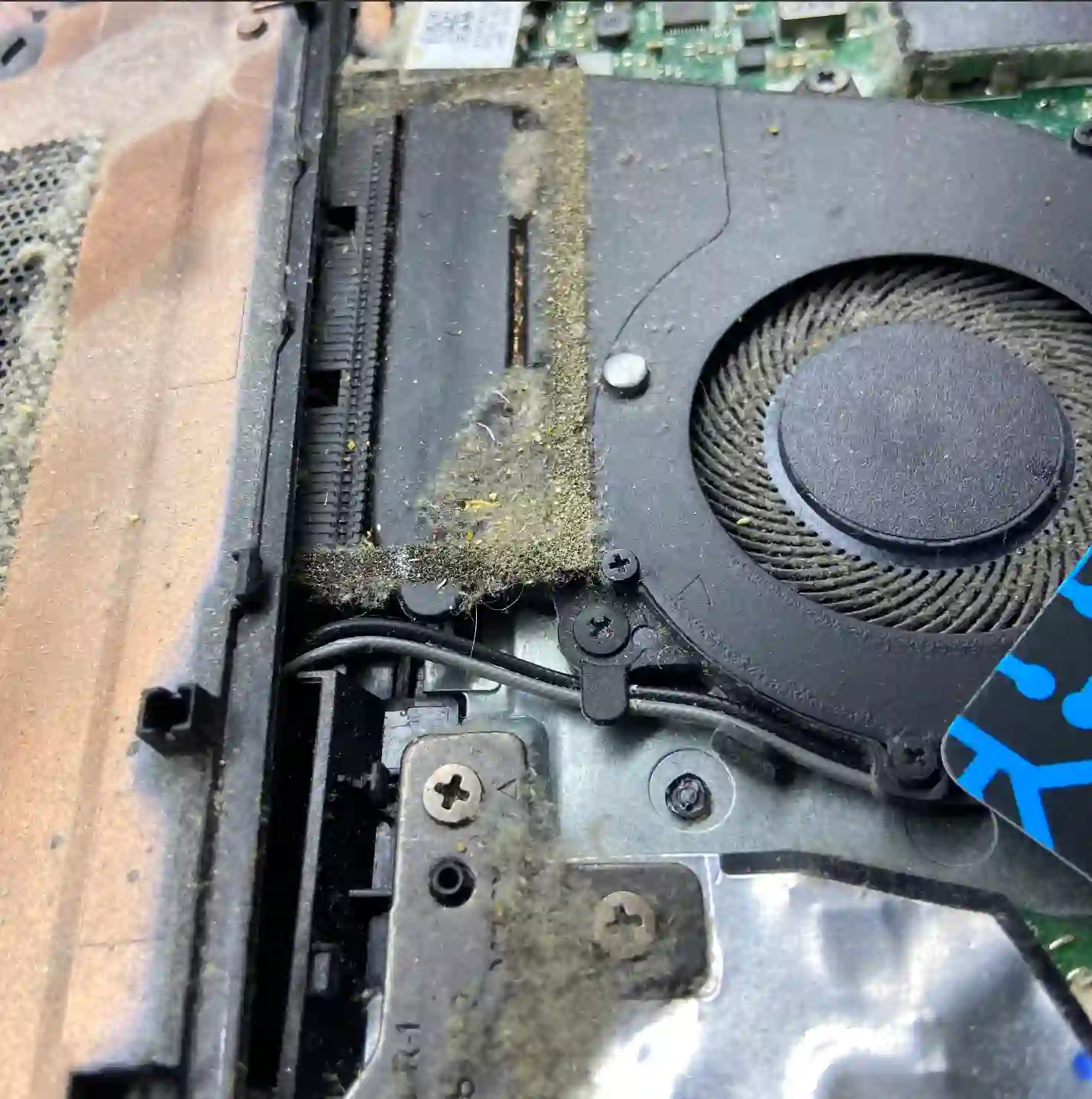
Your laptop gets hot underneath or near the keyboard, the fan roars at full speed, and sometimes the device shuts down on its own during use? That’s a sign the cooling system isn’t coping — and the longer this continues, the more components can suffer. During a free inspection (5–15 minutes), we measure temperatures and can immediately see whether cleaning will suffice or if the problem runs deeper.
In short: in most cases, the culprit is dust on the radiator and dried-out thermal paste. It’s one of the cheaper and quicker repairs — but left too long, it can end in damage to the graphics card or processor.
Most common causes — from most to least likely
- Radiator clogged with dust — air can’t flow freely, temperature rises despite the fan working.
- Dried-out thermal paste — over time it loses its properties, usually needs replacing once every year or two.
- Use on soft surfaces — a blanket, bed or sofa blocks the ventilation openings underneath.
- Laptop design — gaming models naturally run hotter and require more frequent maintenance.
What you can check yourself before coming in
- Check whether you’re using the laptop on a hard, flat surface — soft surfaces block the ventilation openings underneath.
- Listen to whether the fan runs loudly from the moment you start up, or only after prolonged use.
- Look into the ventilation openings from the outside — visible clumps of dust are a good sign that cleaning will likely help.
- Notice whether the laptop shuts down suddenly during demanding tasks (gaming, rendering) — that’s a signal that temperature is reaching critical levels.
What NOT to do
- Don’t try to blow out the interior through the ventilation openings with compressed air without disassembling — dust often just shifts deeper instead of being removed.
- Don’t ignore spontaneous shutdowns — they’re a sign that your laptop is protecting itself from damage, not a random fault.
- Never cover your laptop with pillows or blankets while it’s running, not even for a moment.
Overheating very rarely fixes itself. Dust on the heatsink and dried-out thermal paste are the most common causes, but delaying cleaning can lead to a burnt-out graphics card, processor or swollen battery — and that’s a completely different repair cost.
Apenfix technician
How we diagnose it
1. Temperature measurement
We measure CPU and GPU temperatures under load to assess the scale of the problem.
2. Complete fan removal and cleaning
We remove the fan and heatsink entirely — simply blowing air from the outside doesn’t remove dust effectively.
3. Thermal paste replacement
We always replace the thermal paste during cleaning; on more powerful models we use phase-change thermal paste or liquid metal.
4. Load testing
After cleaning, we measure temperatures under load again to confirm the repair was effective.
Extended diagnostics, if needed, takes 1–3 working days. It’s free if you proceed with the repair — if you decide not to, the cost is agreed and quoted upfront.
Overheating laptop repair — we serve all of Warsaw
We accept overheating laptops from customers in every district of Warsaw — Śródmieście, Wola, Mokotów, Ochota, Żoliborz, Bemowo, Bielany, Ursynów, Praga-Południe, Praga-Północ, Targówek, Białołęka, Wawer, Włochy, Ursus, Wilanów, Rembertów and Wesoła — as well as from the surrounding areas.
We have more than one location in convenient parts of Warsaw, so getting to us is quick and easy wherever you live or work. Our current service point addresses are listed further down this page.
Why Apenfix
Frequently asked questions
How often should you clean a laptop of dust?
Depending on usage conditions, usually once every year or two — that’s also a good time to replace the thermal paste.
Can overheating permanently damage a laptop?
Yes, prolonged overheating can lead to damage to the graphics card, processor, and even cause the battery to swell.
Laptop suddenly shuts down during gaming — is it definitely overheating?
That’s one of the most typical symptoms — the laptop shuts down to protect components from thermal damage.
Is simply blowing with compressed air enough?
Rarely — dust usually needs to be removed with full disassembly of the fan, otherwise the effect is short-lived.
How long does cooling system cleaning and repair take?
Usually 1–3 working days, depending on the model and parts availability if replacement is necessary.
Repair cost depends on the scope of work — from cleaning and thermal paste replacement to repairing damaged components. Current rates can be found in the price list.
Two service points in Warsaw
Visit whichever of our two locations is more convenient for you.
Location 1 — Wolska
Wolska 50A/Lokal 26
01-187 Warszawa
Location 2 — al. Szucha
al. Jana Chrystiana Szucha 1
00-580 Warszawa
