
Asus laptop charging port repair in Warsaw — the charger moves around in the port, the laptop only charges in one position, or doesn’t charge at all. We replace ports and repair motherboard traces. Repair usually takes 1–3 working days.
In brief: Asus laptop charging port repair in Warsaw starts by determining whether the problem actually lies in the port, or perhaps in the charger or battery. We have microscopes and a soldering station, which allows us to repair damaged motherboard traces and replace ports, including USB-C. Repair usually takes 1–3 working days.
Our experience — charging port repairs in Asus laptops
At our Warsaw service centre, we’ve completed 7 charging port repairs in Asus laptops. We most often see models from the Vivobook, Zenbook, ROG and TUF series.
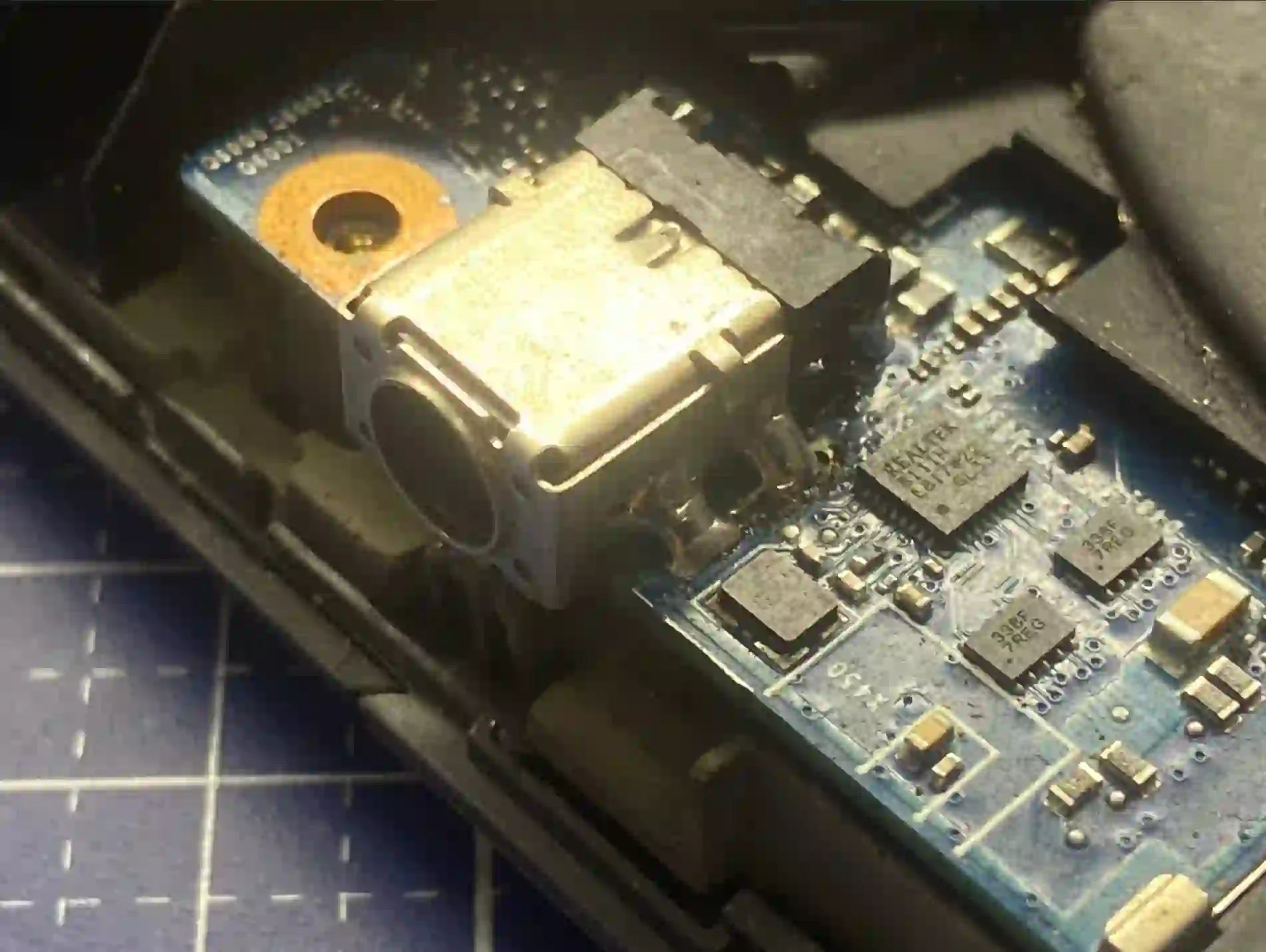
Asus — why the model matters so much here
Asus models differ so much from each other that two different Asus laptops can differ more from each other than an Asus from a Lenovo. This applies both to the case construction around the charging port and to the motherboard itself — which is why before any repair we always check the specific model, not a general „brand specification”. In gaming laptops from the ROG and TUF series, the charging port can be under heavier load than in office models, which is worth bearing in mind during everyday use.
When you’re looking for Asus charging port repair
You usually land on this page when searching for answers to questions like „Asus laptop not charging”, „Asus only charges when I hold the cable”, „Asus ROG charging port loose” or „how much does Asus charging port replacement cost”. We check all these symptoms the same way — by measuring whether current is actually reaching the laptop from the charger.
Symptoms — damaged Asus charging port
- The plug moves loosely in the port — there’s no single stable position where it stays put
- The laptop only charges in one plug position or when you hold the cable by hand
- The laptop doesn’t respond to the charger being plugged in at all
- Charging stops after moving the laptop slightly
- Visible physical damage or looseness in the port
A typical symptom is that the plug moves loosely in the port — you shift it and the laptop starts charging, move it the other way and charging stops. With Asus laptops we also always check the specific model, because the port design can vary significantly even within the same series.
Apenfix technician
What happens if you delay charging port repair
A damaged port won’t fix itself, and continued charging in an unstable position gradually makes the situation worse.
- Unstable power supply damages the battery
- The port becomes increasingly mechanically damaged
- A short circuit may occur and damage the motherboard
- Repair costs increase with the extent of damage
How Asus charging port repair works at our service centre
1. Free inspection
We check with a tester and measure whether current is reaching the port from the charger at all.
2. Detailed diagnostics
We check whether the problem lies in the port itself or in the traces on the motherboard leading to it.
3. Repair under microscope
We replace the port or regenerate damaged traces on the motherboard using a soldering station.
4. Final tests
We test charging in different plug positions and check the stability of the current supplied before returning the laptop.
The above describes how the process works in our service centre. This is not a DIY repair guide — opening the laptop and interfering with the charging port without proper equipment risks making the fault worse.
Asus charging port repair — we serve all of Warsaw
We accept Asus laptops with charging problems from customers in every Warsaw district — Śródmieście, Wola, Mokotów, Ochota, Żoliborz, Bemowo, Bielany, Ursynów, Praga-Południe, Praga-Północ, Targówek, Białołęka, Wawer, Włochy, Ursus, Wilanów, Rembertów and Wesoła — as well as from the surrounding areas.
We have more than one location in convenient parts of Warsaw, so getting to us is quick and easy wherever you live or work. Our current service point addresses are listed further down this page.
Why Apenfix
Frequently asked questions
How do you know it’s the port and not the battery or charger?
We use a tester to check whether any current is coming out of the charger. If current is flowing but the battery isn’t charging — the problem is the battery. If there’s no current — the port is at fault.
How much does Asus charging port repair cost?
The price depends on the model and the extent of the damage. You’ll find current rates in our price list.
Do you replace USB-C ports?
Yes, we replace both classic charging ports and USB-C ports used for charging in newer Asus models.
Is diagnostics charged?
The free inspection takes 5–15 minutes and is always free of charge. Extended diagnostics is free if you decide to go ahead with the repair.
How long does Asus charging port repair take?
Usually 1–3 working days, counting from the end of diagnostics.
Prices for all services can be found in our price list.
Two service points in Warsaw
Visit whichever of our two locations is more convenient for you.
Location 1 — Wolska
Wolska 50A/Lokal 26
01-187 Warszawa
Location 2 — al. Szucha
al. Jana Chrystiana Szucha 1
00-580 Warszawa
See also
- Asus liquid damage repair
- Asus cooling system cleaning with liquid metal
- Laptop diagnostics
- Dell charging port repair
