
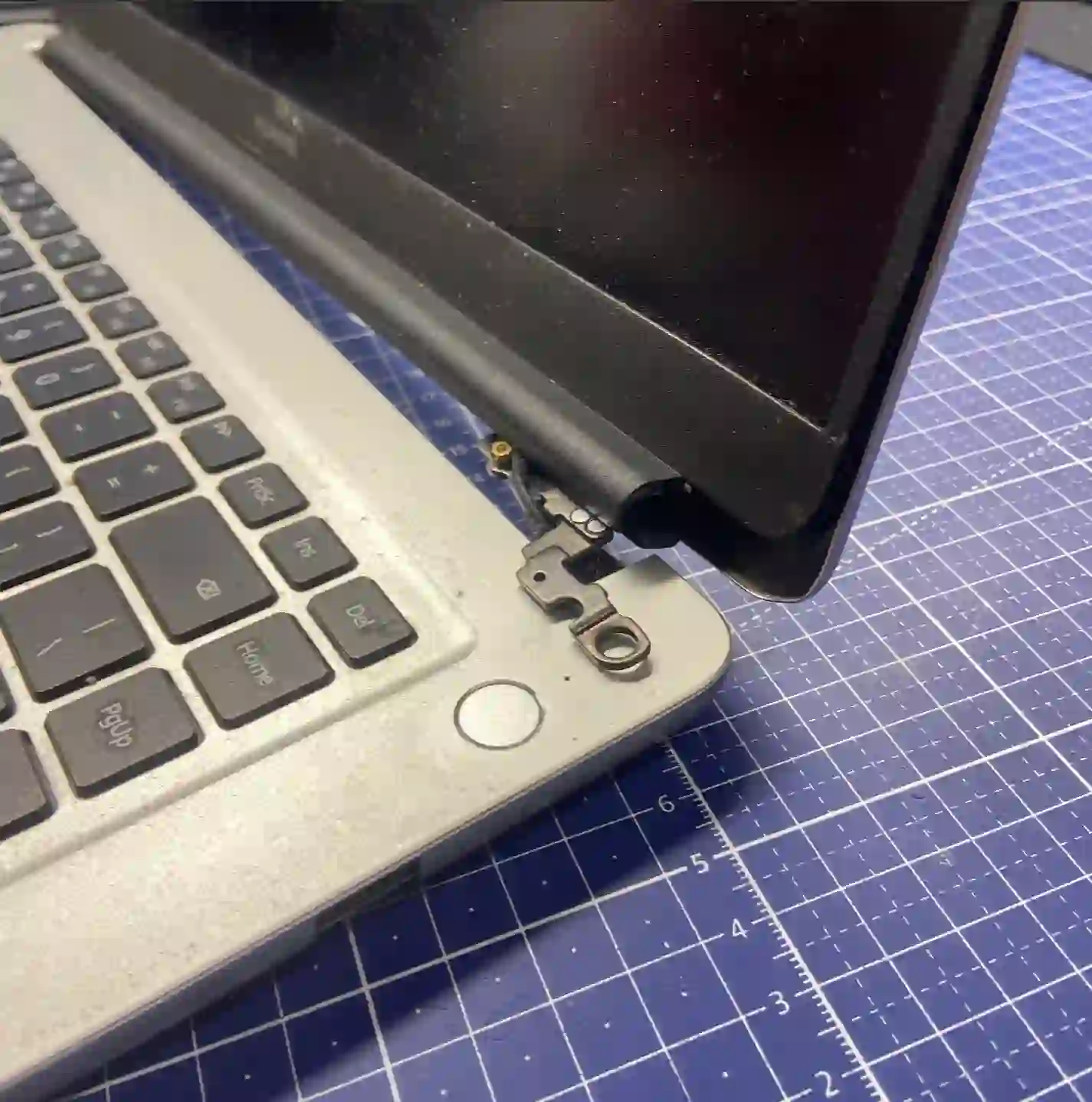
Hinge torn out of the casing, cracking plastic near the screen, or a case that „crunches” when you open it? In most cases, you don’t need to replace the entire casing — restoration is cheaper and just as durable. We usually complete the repair in 1–3 working days.
In short: the most common reason customers come to us with damaged casings is a hinge torn out of the body — usually the left one. Instead of replacing the entire casing, in most cases we restore it: we reinforce the damaged area with structural adhesive and 3D-printed plastic, which is significantly cheaper than replacement and comes with up to a 2-year warranty.
Our experience in laptop casing restoration
For casing restoration, we use our own 3D printer — if any plastic component is missing, we print it instead of ordering an entirely new casing. We reinforce damaged areas with structural adhesive designed for metal combined with 3D-printed plastic, which sets our method apart from cheaper repair shops that glue hinges with ordinary epoxy resin — it holds less well and often floods the casing so badly that the laptop can no longer be disassembled. After our restoration, the laptop can be fully taken apart, which makes any future repairs easier.
Restoration or replacement — which is better value
This is the question we hear most often, and in most cases the answer is clear. From our experience, calculated from the laptop’s price at the time of purchase:
- Full casing replacement — approximately 30–40% of the laptop’s value
- Casing restoration — approximately 5–15%, on average around 10% of the laptop’s value
That’s why in the vast majority of cases we recommend restoration — it gives a very similar result to replacement, at a fraction of the cost. We only suggest full casing replacement when the damage is so extensive that restoration wouldn’t provide a lasting result.
When you’re looking for help with your laptop casing
We get customers looking for answers to questions like: „laptop hinge torn out of casing”, „cracked laptop casing, how much does repair cost”, „is it worth repairing or replacing the casing” or „laptop creaks when opening”. If you recognise yourself in any of these questions, you’re in the right place.
Signs that suggest you should consider casing restoration
- The hinge (usually the left one) is torn out or partially detached from the body
- The screen wobbles or won’t hold the set angle
- You hear a cracking sound when opening or closing the casing
- Visible cracks in the plastic near the hinges or corners
- A piece of the plastic casing is missing, for example after a fragment has broken off
Most often we see laptops with a torn-out left hinge — it’s definitely the weakest point of most casings. Instead of replacing the entire body straight away, we repair the damaged area with metal adhesive and plastic from our 3D printer. This solution still allows the laptop to open fully — unlike cheaper repairs using epoxy.
Apenfix technician
What happens if you delay casing repair
- The crack near the hinge will grow larger with each opening and closing of the screen
- A torn-out hinge can start damaging the screen cable that runs through that area
- An unstable screen increases the risk of accidental drops or harder impacts
- The larger the damage, the greater the chance that repair will no longer be enough and a more expensive replacement will be necessary
How casing repair works at our service centre
1. Free inspection
We assess the extent of the damage and tell you straight whether repair will be enough or if replacement is needed. This takes 5–15 minutes.
2. Preparation and 3D printing
If a piece of plastic is missing, we print it on our own 3D printer, fitted to the specific model.
3. Reinforcing the damaged area
We combine construction adhesive for metal with 3D-printed plastic to make the repair site durable and strong.
4. Testing and collection
We check the screen stability and hinge operation, and you confirm the result yourself when you collect the laptop.
Repair time may vary depending on the extent of damage and service workload.
Case repair — we serve all of Warsaw
We accept laptops for case repair from customers in every district of Warsaw — Śródmieście, Wola, Mokotów, Ochota, Żoliborz, Bemowo, Bielany, Ursynów, Praga-Południe, Praga-Północ, Targówek, Białołęka, Wawer, Włochy, Ursus, Wilanów, Rembertów and Wesoła — as well as from the surrounding areas.
We have more than one location in convenient parts of Warsaw, so getting to us is quick and easy wherever you live or work. Our current service point addresses are listed further down this page.
Why Apenfix
Frequently asked questions
Is case repair as durable as replacement?
When done properly — yes. We combine construction adhesive for metal with 3D-printed plastic, which creates a very strong bond and still allows you to fully disassemble the laptop if needed in the future.
How much does case repair cost compared to replacement?
In our experience, repair costs roughly 5–15% of the laptop’s value, while replacing the entire case typically costs 30–40%. The exact cost depends on the model and extent of damage — you’ll find current rates in the price list.
Which hinge breaks most often?
Most often the left hinge — it’s a typical, recurring problem in many laptop models, regardless of brand.
How can I prevent the hinge from breaking again?
When the laptop lid starts to feel stiff and you hear a slight cracking sound, it’s worth having maintenance done — disassembly, adjustment and lubrication of the hinge, before it tears out. The lubricant in hinges typically wears out after about 2 years of use.
How long does case repair take?
Usually 1–3 working days, depending on the extent of damage and whether missing parts need to be 3D-printed.
The exact cost of housing restoration depends on the laptop model and extent of damage. You’ll find current rates in the price list.
Two service points in Warsaw
Visit whichever of our two locations is more convenient for you.
Location 1 — Wolska
Wolska 50A/Lokal 26
01-187 Warszawa
Location 2 — al. Szucha
al. Jana Chrystiana Szucha 1
00-580 Warszawa
