
A laptop that was running smoothly until recently now takes over ten seconds to load pages, freezes momentarily and frustrates you with every simple task? This is a very common problem and usually has one specific cause — and it’s not „old hardware”, as many customers assume from the start. During a free inspection (5–15 minutes), we check the condition of the drive and memory to determine what’s actually slowing down your laptop.
In short: the most common cause of slowdown is a failing drive or a cluttered, bloated system installation — you don’t always need to think about replacing the entire laptop straight away.
Most common causes — from most to least likely
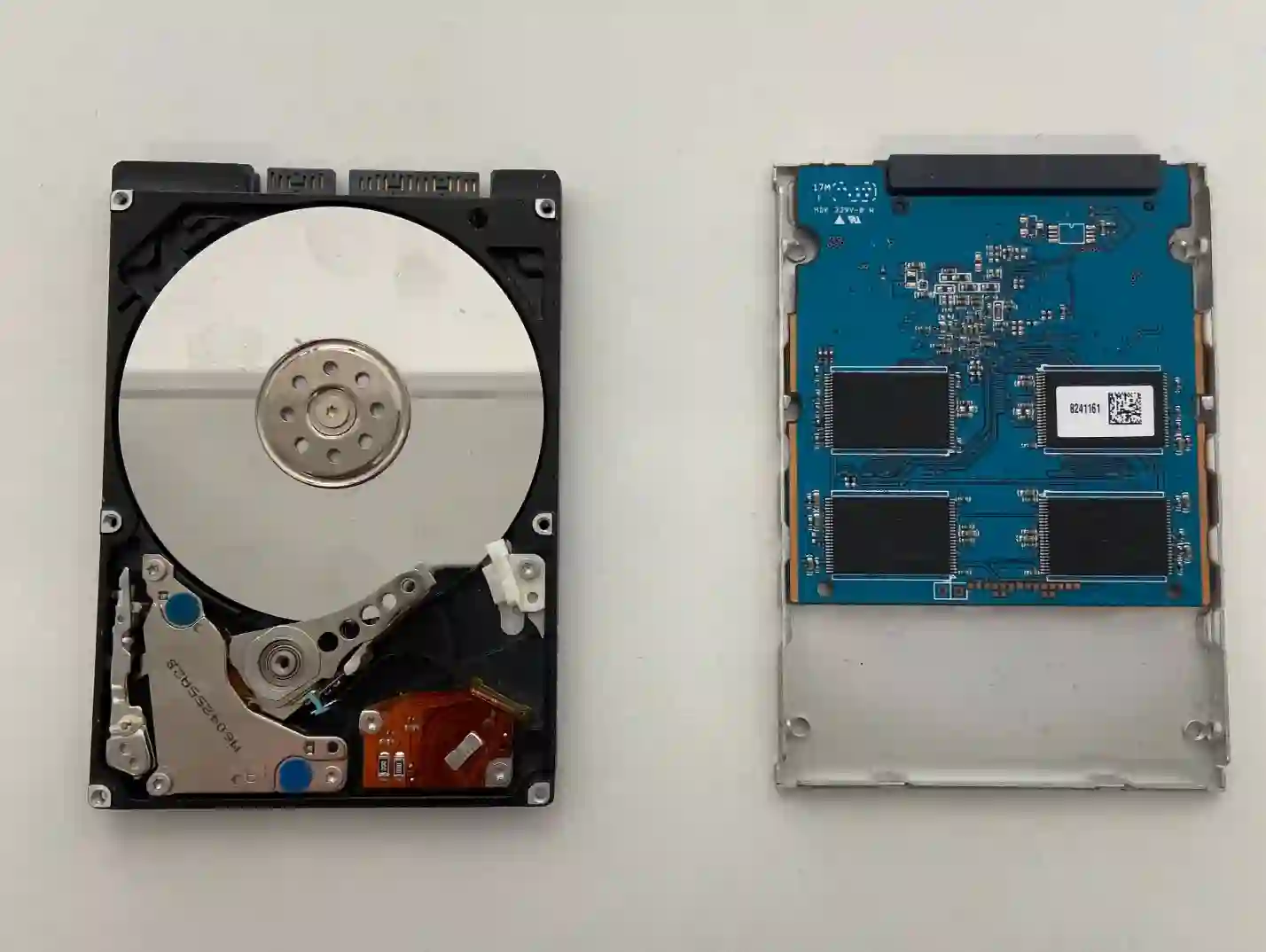
- A failing drive — performance drops, longer system and program loading times, occasional brief freezes.
- Insufficient RAM for the number of open programs and browser tabs — the system starts using slower virtual memory on the drive.
- A cluttered, long-unupdated system installation — too many programs starting up with the system, accumulated temporary data.
What you can check yourself before coming in
- Notice whether the slowdown has been getting gradually worse over recent weeks, or appeared suddenly overnight.
- Check how many programs and browser tabs you usually have open at once — this is a common, simple cause of slowdown.
- Check in your system settings how many programs launch automatically at startup.
- Observe whether the freezing occurs mainly when working with large files or several programs at once.
What NOT to do
- Don’t reinstall the system yourself if you suspect drive failure — if the drive is actually failing, you risk losing your data.
- Don’t ignore repeated brief freezes — these are often an early warning sign from the drive, before a more serious failure occurs.
- Don’t buy a new laptop straight away before checking whether the cause might simply be the drive or memory — that’s usually a much cheaper solution.
Customers often think their laptop has simply „got old”. Yet very often all it takes is replacing the drive with a working one for the same device to run smoothly again — it’s one of the most cost-effective repairs we do.
Apenfix technician
How we diagnose it
1. Drive health check
We check the drive’s parameters, looking for early signs of impending failure.
2. RAM check
We assess whether the amount of installed memory matches how you use your laptop.
3. System load analysis
We check exactly what’s loading the system at startup and during operation.
4. Solution recommendation
We suggest the simplest effective solution — replacing the drive, adding memory, or a clean system reinstall.
Extended diagnostics, if needed, takes 1–3 working days. It’s free if you decide to go ahead with the repair — if you choose not to, the cost is agreed and quoted upfront.
Slow laptop repair — we cover all of Warsaw
We accept laptops that are slowing down and freezing from customers in every district of Warsaw — Śródmieście, Wola, Mokotów, Ochota, Żoliborz, Bemowo, Bielany, Ursynów, Praga-Południe, Praga-Północ, Targówek, Białołęka, Wawer, Włochy, Ursus, Wilanów, Rembertów and Wesoła — as well as from the surrounding areas.
We have more than one location in convenient parts of Warsaw, so getting to us is quick and easy wherever you live or work. Our current service point addresses are listed further down this page.
Why Apenfix
Frequently asked questions
Is it definitely the drive, and not just an old laptop?
Very often yes — the processor and other components may be fully functional, and the slowdown is caused precisely by the drive.
Will I lose my data when replacing the drive?
No, we transfer the data to the new drive — unless the old drive is already in critical condition, which we check during diagnostics.
Does adding RAM really help?
Yes, if the problem is too little memory with many open programs — it’s one of the most noticeable improvements.
Does the system need to be reinstalled?
Not always — it depends on the condition of the current installation. Sometimes just replacing the drive or adding memory is enough.
How long does this repair take?
Usually 1–3 working days, depending on the scope of work and any data transfer required.
The repair cost depends on whether a drive replacement, memory upgrade or system reinstallation is needed. Current rates can be found in the price list.
Two service points in Warsaw
Visit whichever of our two locations is more convenient for you.
Location 1 — Wolska
Wolska 50A/Lokal 26
01-187 Warszawa
Location 2 — al. Szucha
al. Jana Chrystiana Szucha 1
00-580 Warszawa
