
Is your laptop fan running at full speed even when you’re just browsing the web? It’s annoying, but usually doesn’t mean a serious fault — in the vast majority of cases, the culprit is ordinary dust that has blocked the free flow of air. During a free inspection (5–15 minutes), we check whether it’s actually dust or something more.
In short: loud fan noise almost always means a radiator clogged with dust. The solution is to fully remove and clean the fan — simply blowing compressed air through the vents from outside usually doesn’t give lasting results.
Most common causes — from most to least likely
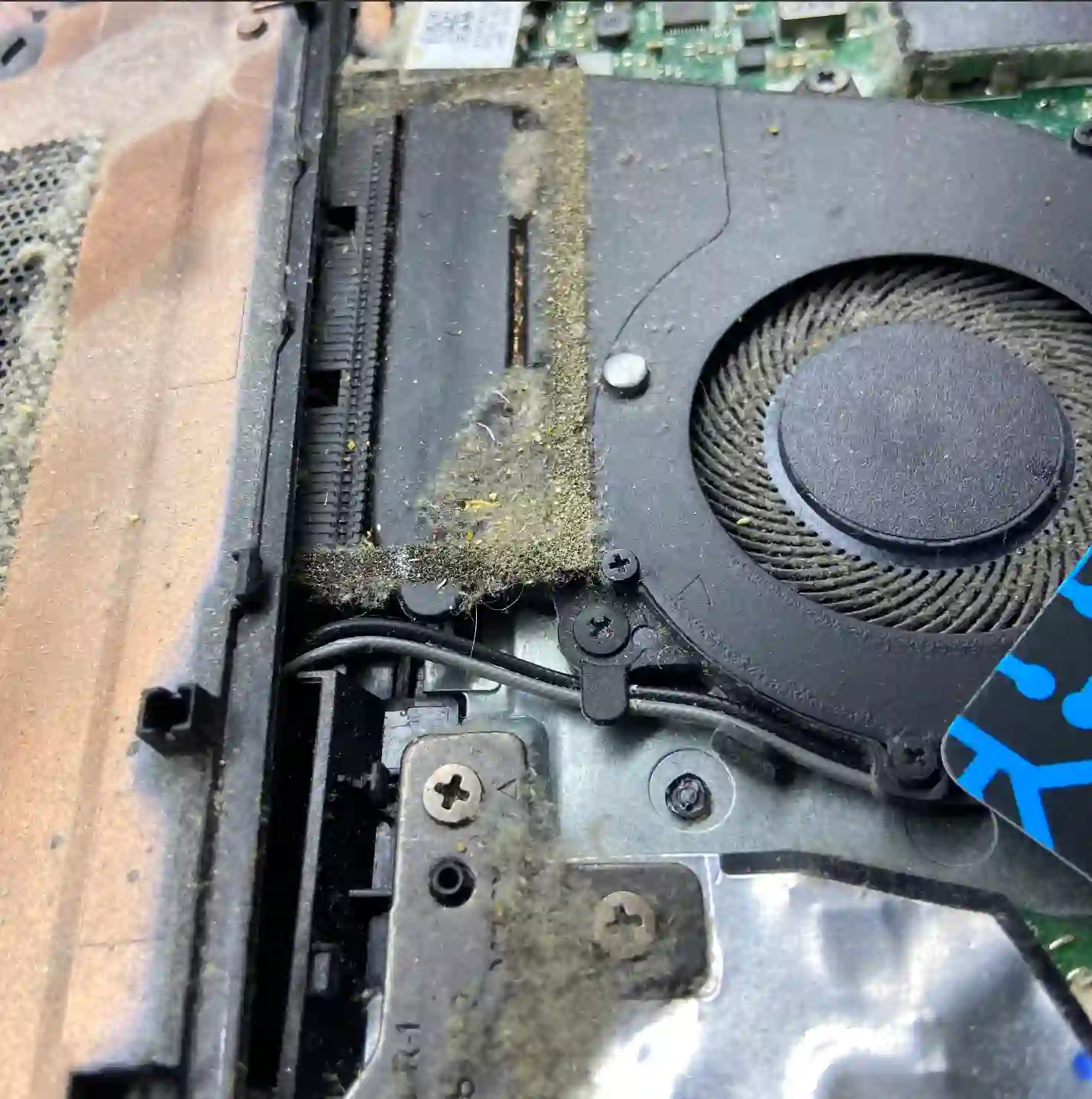
- Dust on the fan blades and radiator — the fan has to work faster to push air through the blocked channels.
- Worn fan bearing — shows itself not only through loud operation, but also a characteristic high-pitched sound or rattling.
- Dried-out thermal paste — the laptop heats up faster than it should, so the fan kicks into high speed more often.
What you can check yourself before coming in
- Notice whether the noise appears even during light tasks, or only during gaming and heavier work.
- Listen to whether the sound is a steady hum, or more of a rattle or squeal — this helps distinguish dust from a worn bearing.
- Check the ventilation openings from the outside for visible dust or fluff.
- Notice whether the laptop is sitting on a hard surface — blocked ventilation openings underneath also cause louder operation.
What NOT to do
- Don’t limit yourself to blowing compressed air through the vents from outside — dust often stays inside, it just shifts around.
- Don’t try to lubricate the fan bearing yourself with household oils — this usually makes the situation worse.
- Don’t ignore persistent noise for long, hoping it will 'go away on its own’ — it usually gets worse.
A loud fan is almost always dust — rarely anything more serious. The problem is that blowing compressed air through the vents from outside rarely helps properly. You need to remove the fan completely and clean it thoroughly, along with replacing the thermal paste.
Apenfix technician
How we diagnose it
1. Sound type assessment
We check whether the noise is normal airflow caused by dust, or rattling indicating worn bearings.
2. Temperature measurement
We check how high the temperatures rise and how quickly the fan responds with high speeds.
3. Complete fan removal
We remove the fan completely to thoroughly clean the blades and heatsink from dust.
4. Paste replacement and testing
We replace the thermal paste and test the fan’s performance under load.
Extended diagnostics, if needed, takes 1–3 working days. It’s free if you decide to go ahead with the repair — if you decline, the cost is agreed and quoted upfront.
Loud laptop fan repair — we cover all of Warsaw
We accept laptops with loud fans from customers in every Warsaw district — Śródmieście, Wola, Mokotów, Ochota, Żoliborz, Bemowo, Bielany, Ursynów, Praga-Południe, Praga-Północ, Targówek, Białołęka, Wawer, Włochy, Ursus, Wilanów, Rembertów and Wesoła — as well as from the surrounding areas.
We have more than one location in convenient parts of Warsaw, so getting to us is quick and easy wherever you live or work. Our current service point addresses are listed further down this page.
Why Apenfix
Frequently asked questions
Is blowing with compressed air enough?
Usually not for long — a lasting effect requires fully removing the fan and thorough cleaning.
Does a rattling fan need replacing?
If the bearing is already worn, the fan itself usually needs replacing — we check this during diagnostics.
Is a loud fan a serious problem?
Not in itself, but if ignored it leads to overheating and can eventually damage components.
How often does the fan need cleaning?
Usually once every year or two, more often for gaming laptops or those used in dusty environments.
How long does fan cleaning take?
Typically 1–3 working days, depending on the laptop model and whether any parts need replacing.
The cost depends on the scope of work — from cleaning to fan replacement. Current rates are in the price list.
Two service points in Warsaw
Visit whichever of our two locations is more convenient for you.
Location 1 — Wolska
Wolska 50A/Lokal 26
01-187 Warszawa
Location 2 — al. Szucha
al. Jana Chrystiana Szucha 1
00-580 Warszawa
See also
- Laptop overheating
- Laptop shuts down by itself
- Lenovo laptop repair
- Laptop slowing down and freezing
