
A loud, whistling or completely motionless fan is one of the most common reasons laptops come to our service centre in Warsaw. We usually complete fan repairs within 1–3 working days, and diagnosing the problem takes 5–15 minutes and is always free of charge.
In brief: if your laptop has suddenly started buzzing loudly, whistling under load, or the fan isn’t spinning at all, usually cleaning or replacing a single cooling system component is enough. The inspection is free, and in most cases we complete the repair within 1–3 working days. Current prices can be found in our price list.
Our experience in laptop fan repair
At our service centre we work with microscopes and soldering stations, which allows us not only to replace entire cooling modules, but also to precisely repair their small components. We also have a large stock of used parts from laptops accepted for recycling — thanks to this, the fan we need is very often already in stock, which shortens waiting time.
Non-serviceable fans and the exception for gaming laptops
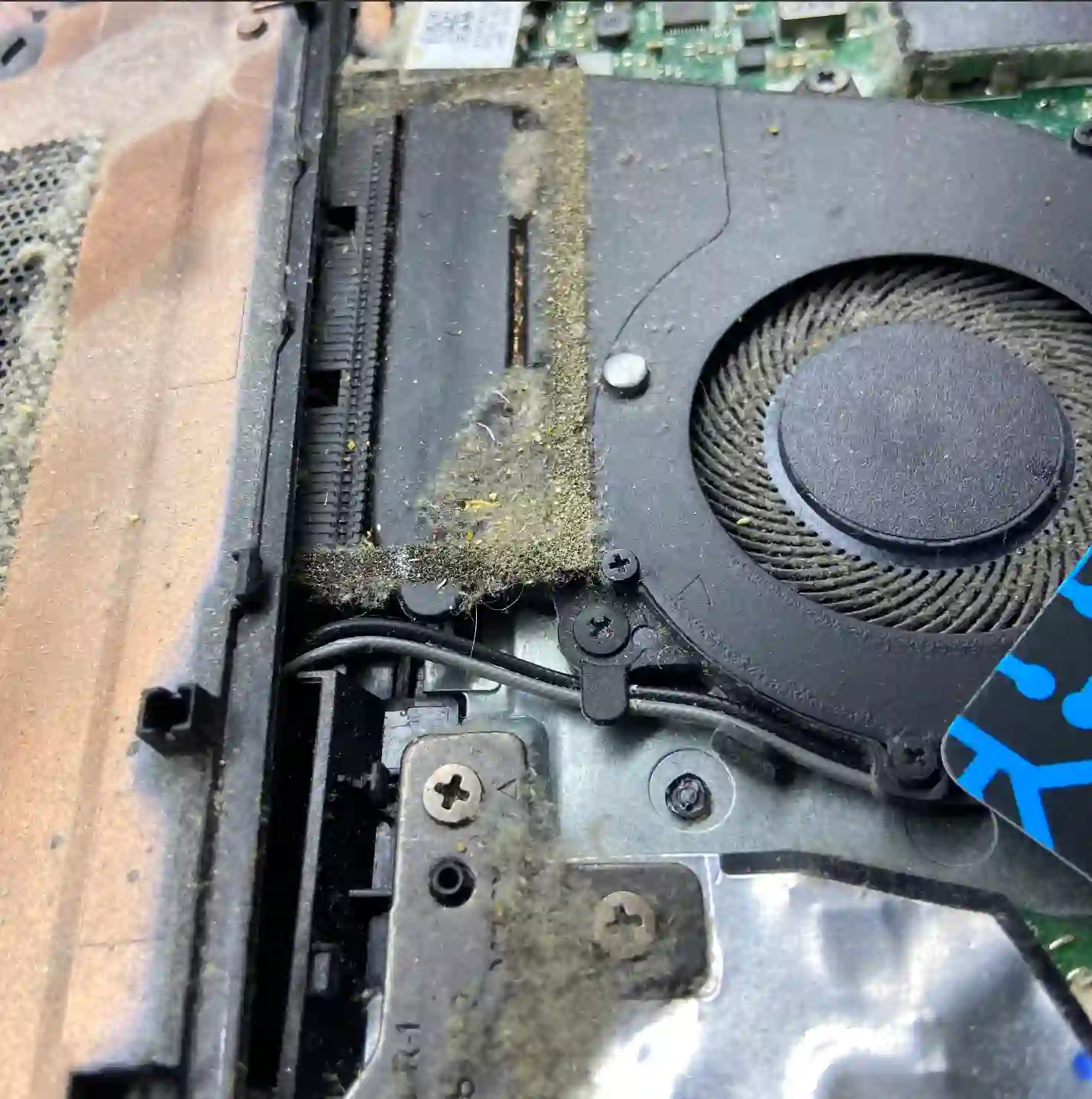
Manufacturers increasingly design fans as non-serviceable components — they simply cannot be opened and lubricated, the only solution is replacement with a new or working used unit. The exception is gaming laptops, where the fan construction in most cases allows for complete disassembly, cleaning and bearing lubrication — thanks to this, the repair works out much cheaper than replacing the entire module.
What causes the problem? The most common cause of loud operation is a worn bearing — after years of use the lubricant wears out and the fan starts making noise at speed. The second cause is mechanical damage: cracked or broken blades, often as a result of dust and dirt getting inside. In most cases thorough cooling system cleaning is sufficient, but sometimes the fan itself needs replacing.
When you’re looking for laptop fan repair
You usually come to us after you’ve started noticing that your laptop is buzzing loudly, the laptop fan is squealing, your laptop is overheating and shutting down or the laptop fan isn’t spinning. These are signs that the cooling system needs attention before components overheat.
Symptoms that warrant bringing your laptop in
- Loud, buzzing or whistling fan operation, especially under load
- Fan spins unevenly or switches on and off by itself
- Laptop gets very hot, slows down or shuts down during use
- Fan doesn’t start up at all
- Increasing noise despite previous cleaning
Most often the problem is a worn bearing — the lubricant wears away after years of operation and the fan starts making noise. If dust has got inside or the blades have been damaged, thorough cleaning is usually enough, but sometimes the only solution is replacement.
Apenfix technician
What happens if you delay
- An overheating processor or graphics card works more slowly and wears out faster
- The risk of sudden laptop shutdown during work increases
- Contamination and overheating can damage neighbouring motherboard components
- A damaged fan eventually stops working completely
How fan repair works at our service centre
1. Free inspection
We check the fan operation and cooling system condition — this takes 5–15 minutes.
2. Quote
We inform you whether cleaning is sufficient or fan replacement is needed.
3. Repair
We clean the cooling system or replace the fan with a new or tested used one, in 1–3 working days.
4. Collection check
We test the fan operation together with you when you collect your laptop.
Repair time may be extended if parts need to be ordered from outside our stock.
Fan repair — we serve all of Warsaw
We accept laptops with loud or non-functioning fans from customers in every Warsaw district — Śródmieście, Wola, Mokotów, Ochota, Żoliborz, Bemowo, Bielany, Ursynów, Praga-Południe, Praga-Północ, Targówek, Białołęka, Wawer, Włochy, Ursus, Wilanów, Rembertów and Wesoła — as well as from the surrounding areas.
We have more than one location in convenient parts of Warsaw, so getting to us is quick and easy wherever you live or work. Our current service point addresses are listed further down this page.
Why Apenfix
Frequently asked questions
Can the fan in my laptop be lubricated, or does it need to be replaced?
It depends on the design. In most gaming laptops, the fan can be disassembled and lubricated, which is cheaper than replacement. In other models, fans are usually non-serviceable and the only solution is replacement.
How long does fan repair take?
Usually 1–3 working days if the required part is available in our stock. The free inspection takes 5–15 minutes.
Is fan diagnosis charged?
The basic free inspection takes 5–15 minutes. Extended diagnostics is free if you decide to proceed with the repair, and its cost is always quoted upfront.
What happens if I keep ignoring the noise from the fan?
The laptop may start to overheat and slow down, and in extreme cases it can shut down suddenly or damage neighbouring components.
Do you use original parts?
We fit new fans or tested, fully functional used parts from our stock — which helps to reduce the repair cost.
Current rates for fan repair can be found in our price list — the inspection is free, and you’ll receive a quote before the repair begins.
Two service points in Warsaw
Visit whichever of our two locations is more convenient for you.
Location 1 — Wolska
Wolska 50A/Lokal 26
01-187 Warszawa
Location 2 — al. Szucha
al. Jana Chrystiana Szucha 1
00-580 Warszawa
See also
- Problems after driver and Windows updates
- What to do when your laptop malfunctions after a Windows update
- Repairs in difficult and unusual cases
- Unusual cases from our repair service
