
You plug in the charger, but the battery still doesn’t charge or there’s no sign the laptop is charging at all? This is one of the most commonly misdiagnosed faults — the culprit could be the charger, the charging port, the battery or, less often, the motherboard. During a free inspection (5–15 minutes), a tester shows clearly where in this chain the problem lies — so you don’t have to guess or buy a new charger on spec.
In short: very often clients bring in a laptop for charging port replacement, but after testing it turns out the port is fine — it’s simply a faulty charger. We always tell you this during the free inspection.
Most common causes — from most to least likely
- Faulty charger — we test with a meter whether any current is coming out of it at all. If not, the laptop itself isn’t to blame.
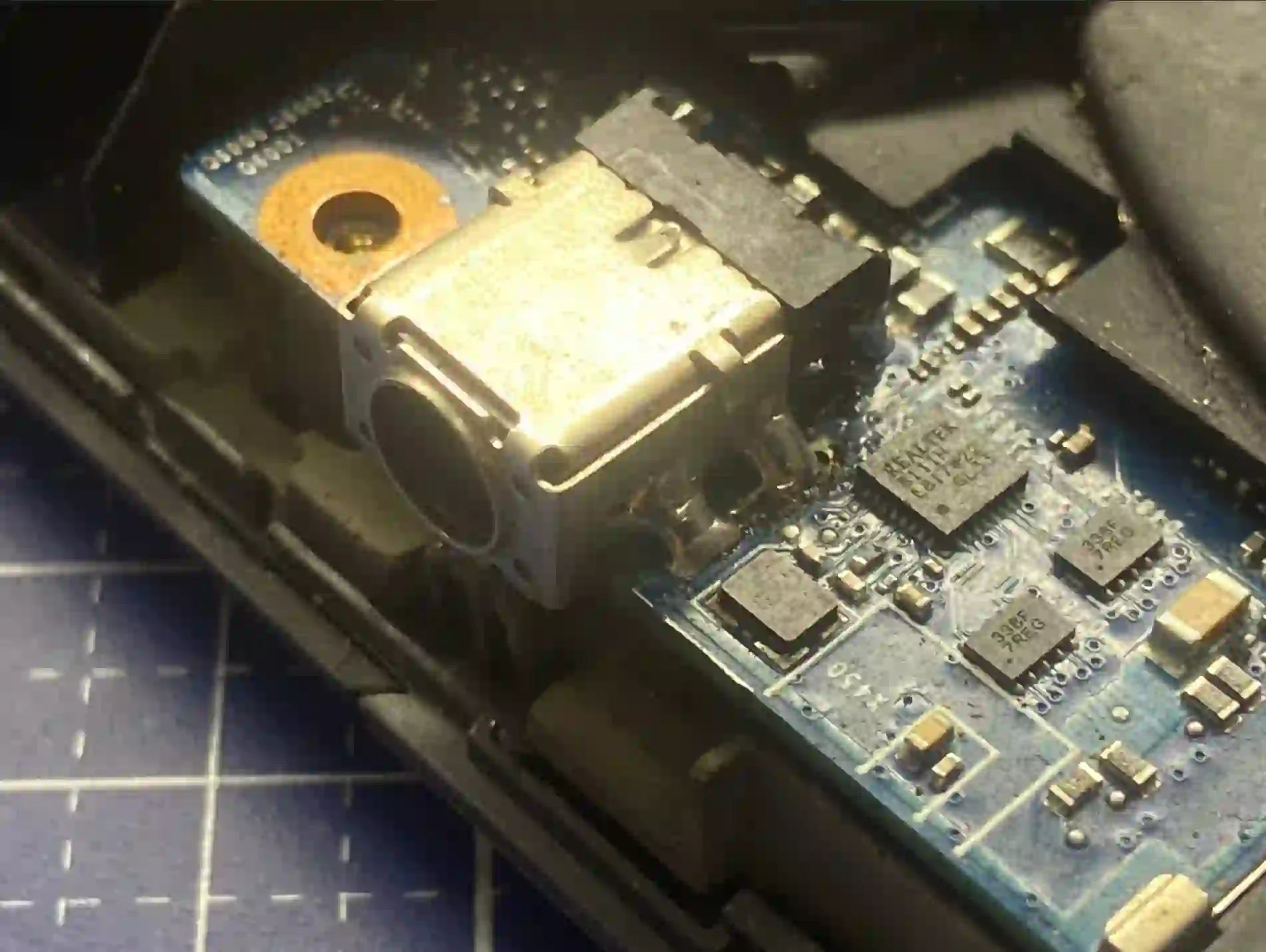
- Damaged charging port — typical symptom is a plug that moves loosely in the socket; you wiggle it and charging cuts out.
- Worn-out battery — current reaches the laptop, but the battery doesn’t accept charge properly.
- Motherboard damage — the rarest but most serious scenario, usually the result of ignoring a charging port problem for too long.
What you can check yourself before you come in
- Check whether the charging LED on the case lights up at all when you plug in the power supply.
- Gently wiggle the plug in the socket, watching whether charging appears and disappears — this is a typical symptom of a worn charging port.
- If you have access to another working charger of the same type, try plugging it in instead of yours.
- Check the charger cable along its entire length for fraying or kinks, especially near the plug.
What NOT to do
- Don’t keep using the laptop with a loose port „because it does charge sometimes” — uneven current damages the battery and can lead to a short circuit on the motherboard.
- Don’t prop anything under the plug to „force” contact — this doesn’t solve the problem, it only delays the repair.
- Don’t buy a new charger straight away without checking — if the problem is with the charging port or battery, a new charger won’t change anything.
A very typical case: a customer brings in a laptop for charging port replacement, but without the charger. We test it and it turns out the port is fine — it’s the charger that’s faulty. We tell you this straight away during the free inspection, so no one pays for an unnecessary repair.
Apenfix technician
How we diagnose it
1. Charger test
We use a tester to check whether any current is coming out of the power supply — this is the first and quickest step.
2. Port inspection
We check the mechanical stability of the charging port and whether current flows freely into the laptop.
3. Battery test
We check whether the battery accepts charge and holds it properly once current reaches it.
4. Motherboard diagnostics
If everything above is fine, we inspect the power circuits on the motherboard under a microscope.
Extended diagnostics, if needed, takes 1–3 working days. It’s free if you decide to go ahead with the repair — if you choose not to, the cost is agreed and quoted upfront.
Laptop charging repair — we cover all of Warsaw
We accept laptops that won’t charge from customers across every district of Warsaw — Śródmieście, Wola, Mokotów, Ochota, Żoliborz, Bemowo, Bielany, Ursynów, Praga-Południe, Praga-Północ, Targówek, Białołęka, Wawer, Włochy, Ursus, Wilanów, Rembertów and Wesoła — as well as from the surrounding areas.
We have more than one location in convenient parts of Warsaw, so getting to us is quick and easy wherever you live or work. Our current service point addresses are listed further down this page.
Why Apenfix
Frequently asked questions
How do you know it’s the port and not the charger?
We use a tester to check the current directly at the charger tip — if current is present but the laptop still won’t charge, the problem lies further down the line, in the port or battery.
The plug wobbles in the port — does that definitely mean it’s the port?
That’s a very typical symptom of a worn charging port, but final confirmation comes only from testing during the free inspection.
What will happen if I keep using the laptop with a loose port?
Uneven power supply gradually damages the battery, and in extreme cases can lead to a short circuit and motherboard damage.
Do you replace just the port or the entire casing?
We replace just the port — there’s no need to replace the entire top casing of the laptop.
How long does a charging repair take?
Usually 1–3 working days, depending on whether the problem involves the port, battery or motherboard.
The repair cost depends on the cause — from replacing the charger to repairing the port or battery. Current rates can be found in the price list.
Two service points in Warsaw
Visit whichever of our two locations is more convenient for you.
Location 1 — Wolska
Wolska 50A/Lokal 26
01-187 Warszawa
Location 2 — al. Szucha
al. Jana Chrystiana Szucha 1
00-580 Warszawa
