
Repairing an MSI laptop after liquid damage at Apenfix is a race against time — whether the device can be saved at all depends on how quickly the laptop reaches us and how quickly we remove the battery. Repair usually takes 1–3 working days.
In brief: Repairing an MSI laptop after liquid damage at Apenfix depends mainly on whether the liquid has caused a short circuit on the motherboard. If the laptop reaches us quickly and we remove the battery promptly, there’s a good chance the device will either return to full working order or only one minor component will stop working, such as the keyboard itself. Even a laptop that was damaged by liquid long ago has a chance of working again after thorough cleaning of corrosion.
Our experience — MSI laptops after liquid damage
We’ve repaired MSI laptops after liquid damage mainly from the Katana and Modern series. We record every repair in our own integrated service database, so we know which components in specific MSI models are most vulnerable to liquid damage. Some of our technicians are graduates of the Military University of Technology (WAT) in electronics and telecommunications.
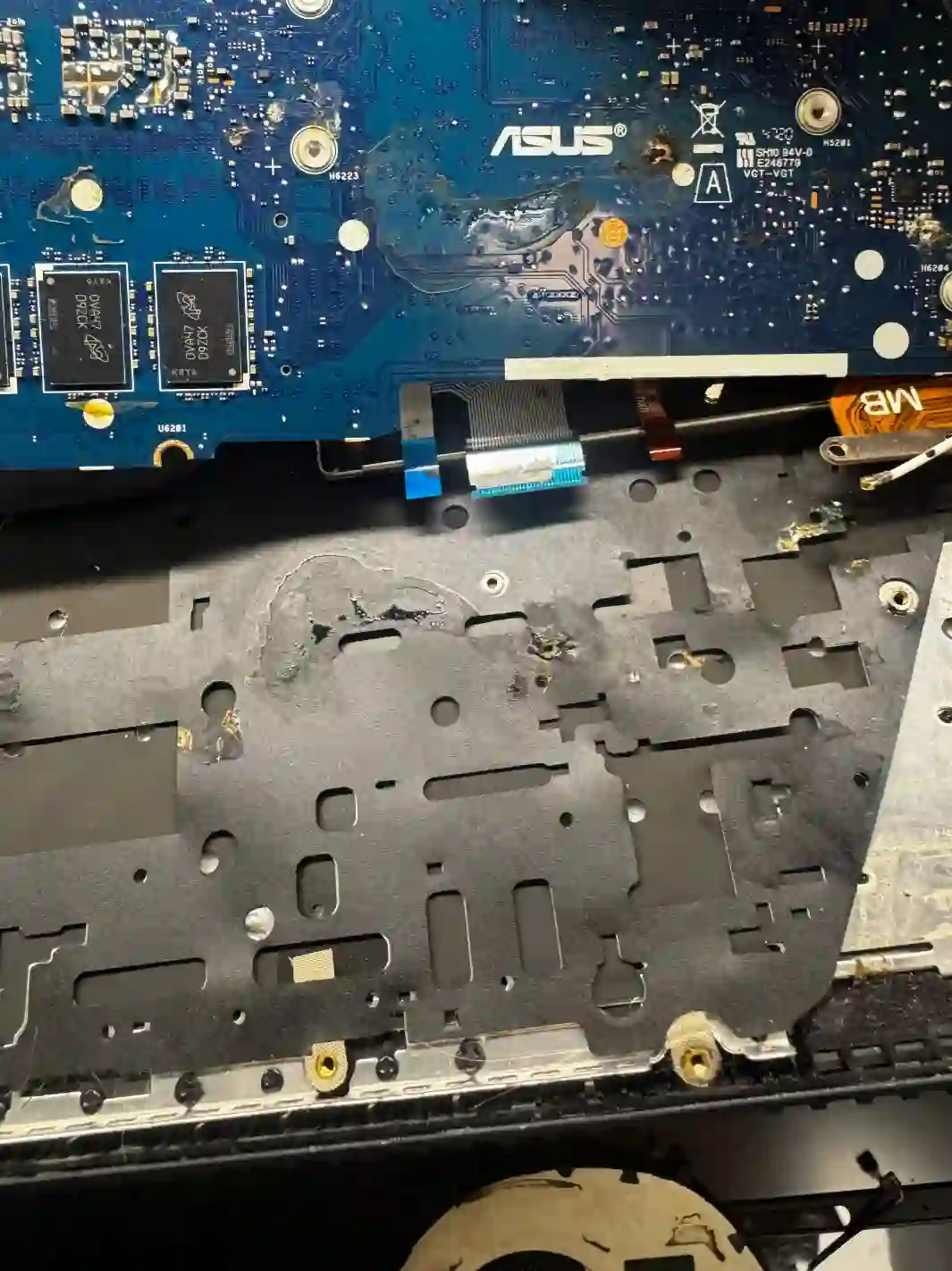
MSI — why liquid damage is particularly risky here
MSI laptops are mostly gaming devices with two independent cooling loops for the processor and graphics card — which means more densely packed components and more traces close together on the motherboard. In the event of liquid damage, this increases the risk that liquid will reach several critical points simultaneously before the laptop is disconnected from power. Additionally, MSI’s less durable plastic casing makes it easier for liquid to reach the interior, so with this brand literally every second counts between the spill and switching off the laptop.
When you’re looking for MSI repair after liquid damage
You usually land on this page in a panic, typing into Google something like: „spilled liquid on MSI laptop what to do”, „MSI laptop water damage won’t turn on” or „liquid damage repair Warsaw laptop”. If that’s your situation — the most important actions must be taken within the next few minutes, before you even reach the repair centre.
What to do immediately after spilling liquid on an MSI laptop
- Immediately disconnect the laptop from power
- Switch off the laptop, even if it still appears to be working
- Turn the laptop upside down with the affected side facing downwards, so liquid doesn’t run deeper into the motherboard
- Get the laptop to a repair centre as quickly as possible so the battery can be removed
- Don’t try turning the laptop back on „to check”
- Don’t dry your laptop with a hairdryer or leave it in rice — what matters is getting to the repair centre quickly, not home remedies
When it comes to liquid damage, there’s no time to spare at all. The faster you disconnect your laptop from power, turn it off and bring it to us so we can remove the battery, the better the chance we can save the entire device, not just some of its components.
Apenfix technician
What happens if you delay repair after liquid damage
The longer liquid remains inside the laptop and the longer the device stays connected to power, the greater the risk that a minor problem will turn into serious motherboard damage.
- Instead of a single component, the entire motherboard may be damaged
- Corrosion progresses over time and makes later repair more difficult
- The risk of short circuit and permanent damage to the processor or graphics card increases
- The repair cost, which could have been low at the start, rises significantly
How MSI liquid damage repair works at our service centre
1. Immediate battery removal
As soon as the laptop arrives, the first thing we do is disconnect the battery to stop any further risk of short circuit.
2. Assessment of the extent of liquid damage
We check whether liquid has reached the motherboard and whether a short circuit has occurred.
3. Cleaning and corrosion removal
We thoroughly clean the components, including areas affected by corrosion, even if some time has passed since the liquid damage.
4. Testing and repairing damaged components
We start up the laptop and repair or replace components that didn’t survive the liquid damage.
The above describes how the process works in our service centre. This is not a DIY repair guide — opening a water-damaged laptop and attempting to turn it on without proper knowledge can worsen the damage.
MSI laptop repair after liquid damage — we serve all of Warsaw
We accept MSI laptops with liquid damage from customers in every district of Warsaw — Śródmieście, Wola, Mokotów, Ochota, Żoliborz, Bemowo, Bielany, Ursynów, Praga-Południe, Praga-Północ, Targówek, Białołęka, Wawer, Włochy, Ursus, Wilanów, Rembertów and Wesoła — as well as from the surrounding areas.
We have more than one location in convenient parts of Warsaw, so getting to us is quick and easy wherever you live or work. Our current service point addresses are listed further down this page.
Why Apenfix
Frequently asked questions
What should I do first after spilling liquid on my MSI laptop?
Immediately disconnect the laptop from power, turn it off, flip it upside down with the affected side facing down, and bring it to a service centre as quickly as possible to have the battery disconnected.
Can an MSI laptop be repaired after liquid damage?
It largely depends on whether a short circuit occurred on the motherboard. The sooner the laptop reaches us, the greater the chance the device will be fully restored to working order.
Can an old MSI laptop that was damaged by liquid a long time ago still work?
Yes, even a laptop that suffered liquid damage long ago can start working again after thorough cleaning of corrosion.
Can I save my laptop myself by drying it with rice?
We don’t recommend home remedies. What matters most is having the battery disconnected by a service centre as quickly as possible — that’s when the fate of the device is decided.
How long does MSI laptop repair after liquid damage take?
Usually 1–3 working days, though the exact time depends on the extent of damage found after thorough cleaning of the components.
Prices for all services can be found in our price list.
Two service points in Warsaw
Visit whichever of our two locations is more convenient for you.
Location 1 — Wolska
Wolska 50A/Lokal 26
01-187 Warszawa
Location 2 — al. Szucha
al. Jana Chrystiana Szucha 1
00-580 Warszawa
