
MSI laptop cleaning in Warsaw — we remove dust from the cooling system and replace the thermal paste. In gaming laptops, this isn’t cosmetic — it’s essential for maintaining performance. Repair usually takes 1–3 working days.
In brief: Cooling system cleaning in an MSI laptop in Warsaw includes full disassembly, removing and cleaning the fans, removing dust from the heatsinks, and replacing the thermal paste. In powerful gaming builds, we use phase-change thermal paste or liquid metal. We service the Katana, Modern, Stealth, Raider and Prestige series. Repair usually takes 1–3 working days.
Our experience — MSI laptop cleaning
At our service centre in Warsaw, we’ve carried out 13 cooling system cleanings in MSI laptops. The Katana series comes to us most often, along with Modern, Stealth and Raider models — mostly gaming builds with powerful processors and dedicated graphics cards.
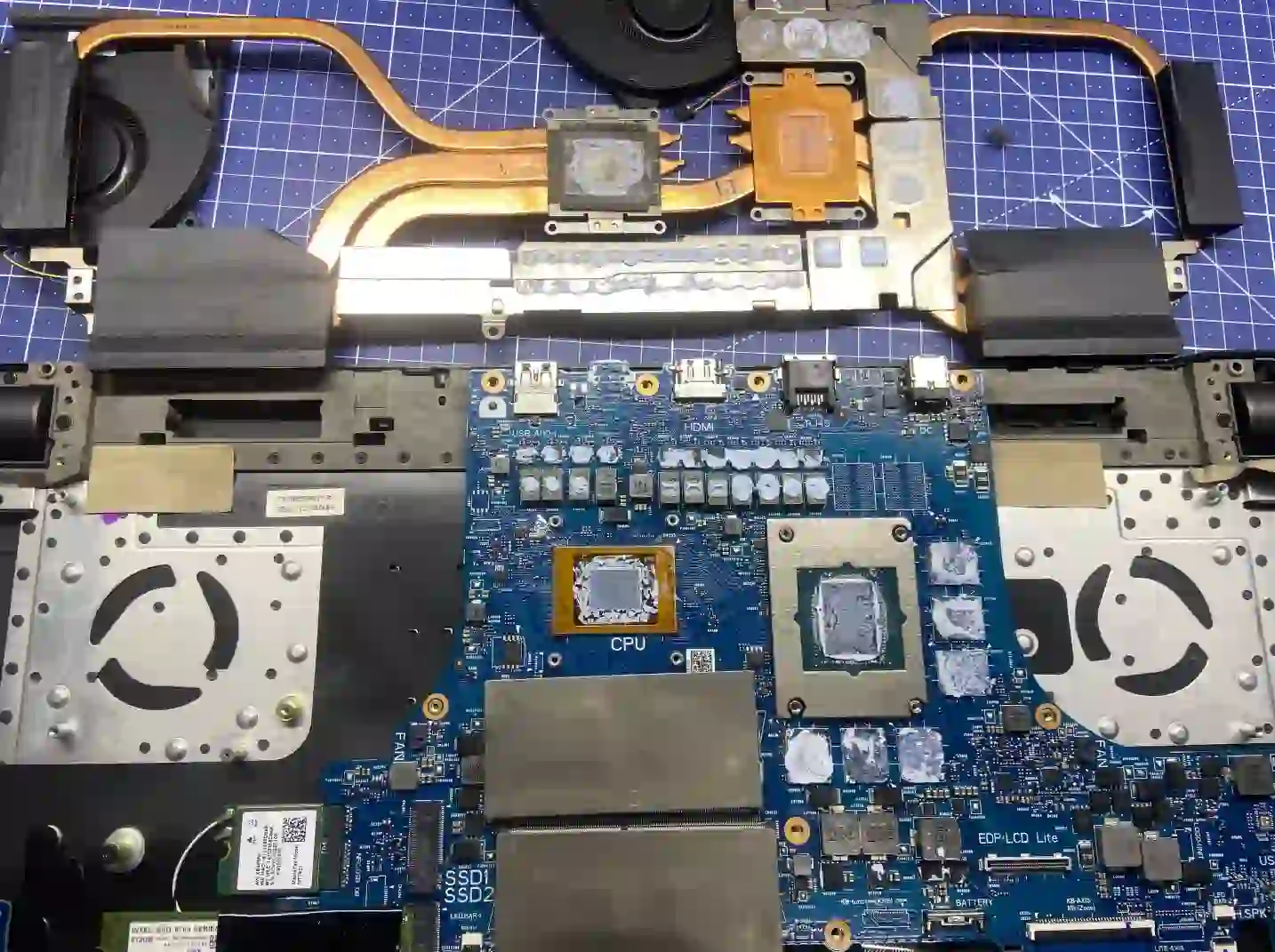
What’s worth knowing about MSI casings
We’ll say it straight, because it’s better to know this before the service than after:
What we’ve noticed about MSI laptops is that they’re less robust than other devices. There’s this plastic that often breaks and cracks. There aren’t any other particular quirks — it’s just an observation from our practice.
Apenfix technician
For you, this means one thing: with MSI, disassembly requires greater care, especially with the casing clips. That’s why we take these laptops apart slowly and carefully — rushing with this brand usually ends with a cracked component. If your MSI’s casing already has cracks or loose clips, tell us about it when you drop off the device.
When you’re looking for MSI laptop cleaning
You’ve come here if you’re looking for answers to questions like: gaming laptop overheating, MSI running loud in games, FPS drop due to temperature or MSI thermal paste replacement price. It’s all one service — cooling system maintenance.
Symptoms — when an MSI laptop needs cleaning
- Fans running loud even during light tasks
- FPS drop in games after several minutes — a classic symptom of thermal throttling
- Laptop gets very hot — around the keyboard area and bottom of the casing
- Laptop shuts down on its own under load
- High CPU and GPU temperatures visible in monitoring programs
Why the cooling system in a gaming laptop gets clogged
- High-performance components generate a lot of heat, so the fans work harder and draw in more dust
- Dried-out thermal paste — with intensive gaming, it’s worth replacing it even once a year
- Gaming on your lap or on a bed blocks the air intakes on the bottom of the case
- Two cooling systems — for the CPU and GPU — means twice as many places where dust accumulates
What happens if you delay cleaning
In gaming laptops the stakes are higher than in office models — a motherboard with a dedicated graphics card is one of the most expensive components in the entire machine:
- Drop in gaming performance — the CPU and GPU constantly throttle their clock speeds
- Damage to the graphics card or CPU from repeated overheating
- Motherboard failure — in a gaming laptop, this is a repair comparable to a portion of the device’s value
- Battery swelling due to high temperatures
How laptop cleaning works at our service centre
Our cleaning is not just a simple blow-through with compressed air. Before we start work, we measure temperatures, and in high-performance builds we select thermal paste suited to the heat generated.
1. Temperature measurement
We check how the laptop heats up under full load.
2. Careful disassembly
We take the casing apart slowly — MSI plastic can be delicate.
3. Cleaning and thermal paste
We clean the fans and heat sinks, apply phase-change thermal paste or liquid metal.
4. Tests and warranty
Temperature test under load, minimum 3-month warranty.
Above we describe how the process looks in our service centre. This is not a DIY laptop cleaning guide — with delicate MSI casings it’s easy to break the clips, so we recommend contacting a service centre.
How our cooling system cleaning is different
- Temperature measurement before and after laptop cleaning
- Careful disassembly taking into account delicate MSI plastic
- Full removal and cleaning of fans, not just blowing through
- Liquid metal or phase-change thermal paste in powerful gaming builds
- Thermal paste always replaced, in every case
- Minimum 3-month warranty on the service
MSI laptop cleaning — we serve all of Warsaw
We accept MSI laptops for cleaning from customers in every Warsaw district — Śródmieście, Wola, Mokotów, Ochota, Żoliborz, Bemowo, Bielany, Ursynów, Praga-Południe, Praga-Północ, Targówek, Białołęka, Wawer, Włochy, Ursus, Wilanów, Rembertów and Wesoła — as well as from the surrounding areas.
We have more than one location in convenient parts of Warsaw, so getting to us is quick and easy wherever you live or work. Our current service point addresses are listed further down this page.
Why Apenfix
Frequently asked questions
How much does MSI laptop cleaning cost in Warsaw?
The price depends on the model and type of thermal paste used — for gaming laptops, it’s often worth using phase-change thermal paste. Current prices can be found in the price list.
How long does MSI cooling system cleaning take?
Usually 1–3 working days. For gaming laptops with dual cooling systems, we need a bit more time.
Will cleaning improve gaming performance?
Very often, yes. If your FPS drops after several minutes of gaming, the cause is usually thermal throttling — which results from a clogged radiator and dried-out thermal paste.
How often should I clean my MSI gaming laptop?
With intensive gaming, even once a year. Gaming laptops generate a lot of heat and get clogged faster than office laptops.
Do you use liquid metal on MSI laptops?
Yes, on powerful gaming laptops. We always advise whether it makes sense for your specific model.
Prices for all services can be found in our price list.
Two service points in Warsaw
Visit whichever of our two locations is more convenient for you.
Location 1 — Wolska
Wolska 50A/Lokal 26
01-187 Warszawa
Location 2 — al. Szucha
al. Jana Chrystiana Szucha 1
00-580 Warszawa
See also
- Asus cooling system cleaning
- Lenovo cooling system cleaning
- HP cooling system cleaning
- Acer cooling system cleaning
