
Your MSI Katana howls loudly under load or shuts itself down during gaming? That’s a classic sign that the cooling system in your Katana needs servicing. Repair usually takes 1–3 working days.
In brief: MSI Katana is a popular gaming series in which the plastic can be brittle and crack, so disassembly requires particular care on our part. We measure temperatures, carefully disassemble and clean the Katana’s cooling system, and always replace the thermal paste.
Our experience with MSI Katana
We’ve cleaned the cooling system in 3 MSI Katana laptops. It’s a popular MSI gaming series in which the case plastic can be brittle, so disassembly requires particular attention.
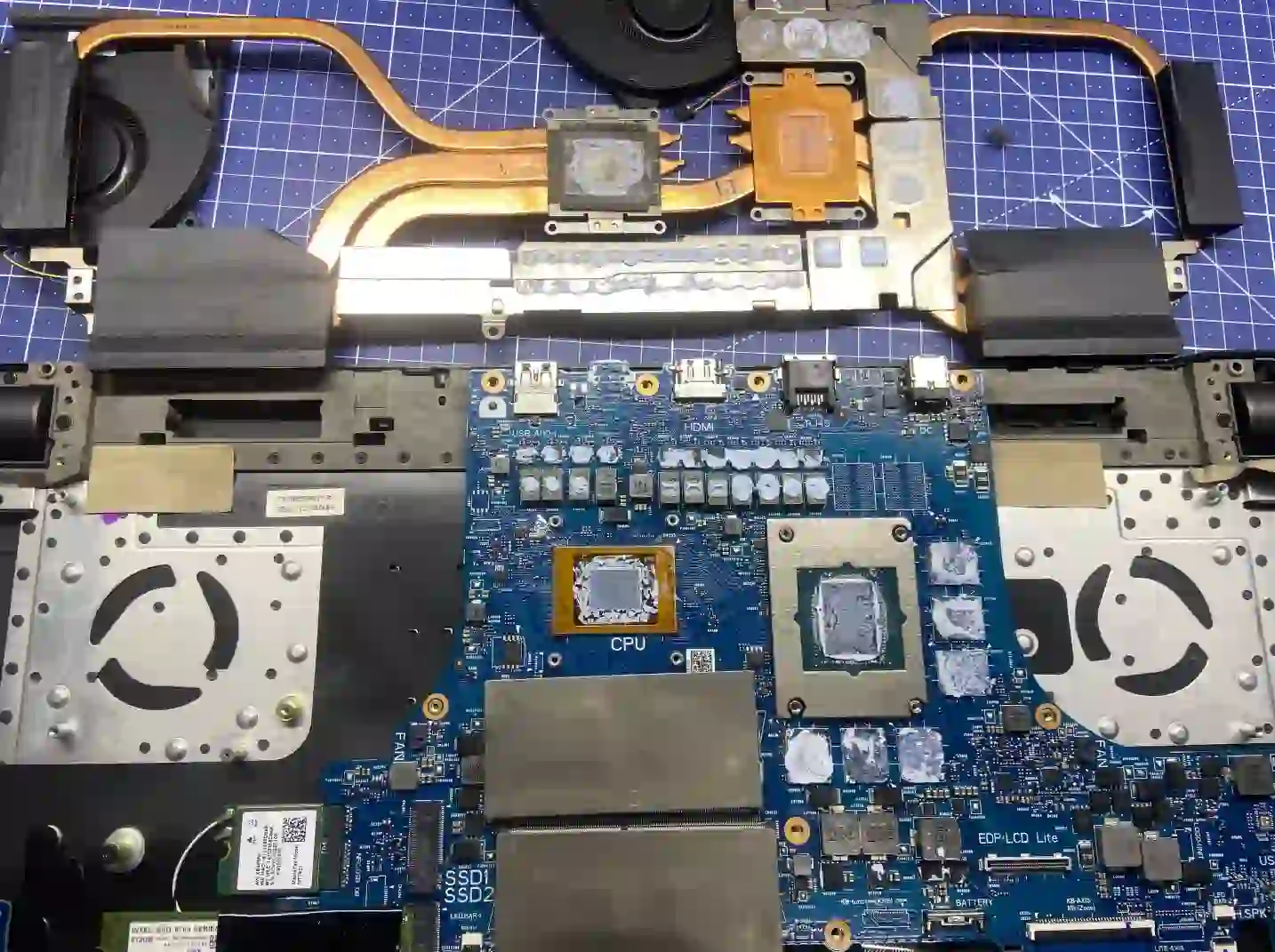
Katana — a gaming series where the plastic requires care
In MSI Katana, the case plastic can be brittle and crack under careless disassembly, so with every removal of panels and covers we work slowly and carefully, instead of forcing clips. Thanks to this approach, Katana cooling system cleaning proceeds safely, without risk of damaging delicate case components.
When you’re looking for help with your Katana
You find us after typing „MSI Katana loud fan what to do”, „Katana overheats and shuts down during gaming” or „Katana cooling system cleaning Warsaw”.
Symptoms of a clogged cooling system in Katana
- Very loud fan operation, even during ordinary tasks
- Laptop gets hot at the top, near the keyboard
- Sudden laptop shutdown under load
- Thermal throttling — noticeable drop in FPS or performance in games
In Katanas, the case plastic can be brittle — we work slowly and carefully with every clip, so nothing cracks during disassembly.
Apenfix technician
What happens if you delay
- Risk of burning out the graphics card or processor with prolonged overheating
- Motherboard failure as a result of continuous operation at high temperatures
- Accelerated battery swelling under the influence of heat
How cooling system cleaning works at our service centre
1. Free inspection
We check the laptop and measure temperatures — this takes 5–15 minutes.
2. Careful disassembly
We slowly and carefully remove the fragile plastic casing so nothing cracks.
3. Thermal paste replacement
We always replace the thermal paste — for powerful configurations we use phase-change thermal paste.
4. Testing and warranty
After reassembly we test the laptop under load and provide a minimum 3-month warranty.
Repair time may vary depending on parts availability and service centre workload.
Katana cooling system cleaning — we service all of Warsaw
We accept Katana laptops from customers in every Warsaw district — Śródmieście, Wola, Mokotów, Ochota, Żoliborz, Bemowo, Bielany, Ursynów, Praga-Południe, Praga-Północ, Targówek, Białołęka, Wawer, Włochy, Ursus, Wilanów, Rembertów and Wesoła — as well as from the surrounding areas.
We have more than one location in convenient parts of Warsaw, so getting to us is quick and easy wherever you live or work. Our current service point addresses are listed further down this page.
Why Apenfix
Frequently asked questions
Does the plastic in the Katana really crack easily?
It can be brittle, so disassembly requires more care than with other laptops — we work slowly and carefully here.
How often should I clean the cooling system in an MSI Katana?
The Katana, as a gaming laptop, collects dust faster than a regular home laptop. We recommend an inspection once a year, and even more often with intensive gaming.
Can I clean the Katana at home myself?
We don’t recommend it — the brittle plastic is easy to damage during careless disassembly, and simply blowing it out doesn’t remove all the dust.
How do you know it’s definitely the cooling system?
During the free inspection, we measure the laptop’s temperatures — this clearly shows whether the problem lies in the cooling system.
How long does cooling system cleaning take for the Katana?
The repair usually takes 1–3 working days.
The exact cost of cooling system cleaning for the MSI Katana is determined individually after a free inspection. You’ll find the current price list under the button above.
Two service points in Warsaw
Visit whichever of our two locations is more convenient for you.
Location 1 — Wolska
Wolska 50A/Lokal 26
01-187 Warszawa
Location 2 — al. Szucha
al. Jana Chrystiana Szucha 1
00-580 Warszawa
See also
- Acer Nitro cooling system cleaning
- HP Victus cooling system cleaning
- Asus ROG cleaning and liquid metal
- Lenovo Legion Cooling System Cleaning
