
One key on your Lenovo ThinkPad isn’t working, or perhaps an entire row stopped responding after you spilt coffee at your desk? The cause can be completely different, depending on the scale of the problem. Repair usually takes 1–3 working days.
In short: a single non-working key on a ThinkPad is usually just dust that needs cleaning out. An entire row or strip of keys stopping working is most often moisture — a common scenario with morning coffee next to the keyboard. Thanks to the technology of desoldering just the keyboard and 3D printing, we replace only the keyboard, without needing to replace the entire ThinkPad topcase.
Our experience with Lenovo ThinkPad
We’ve replaced the keyboard in 3 Lenovo ThinkPad laptops. It’s Lenovo’s business classic, known for its distinctive keyboard valued by many users for typing comfort.
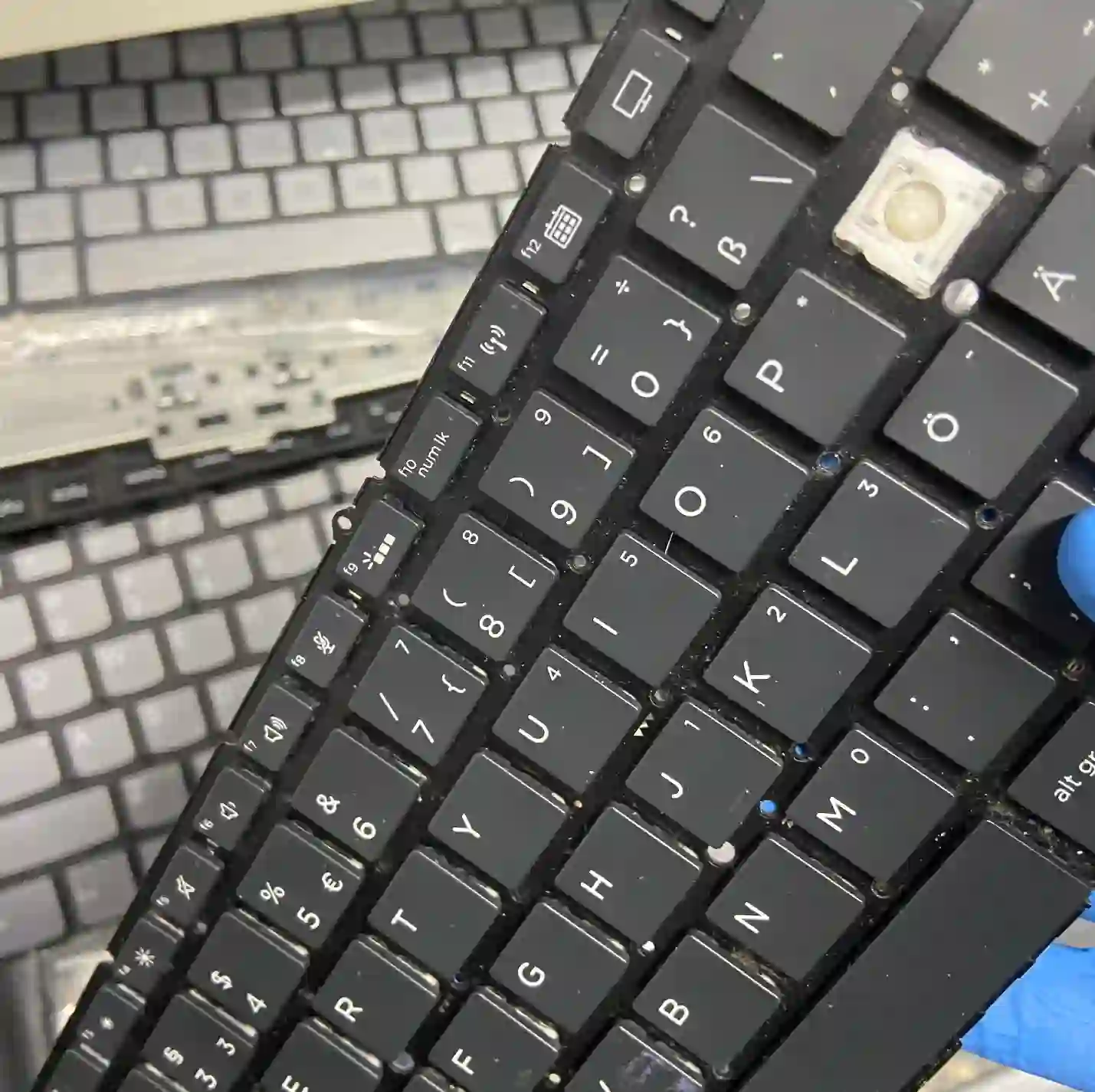
ThinkPad — distinctive keyboard, valued by many users
The ThinkPad keyboard is one of the most recognisable elements of this series, valued for typing comfort by many business users. We don’t replace the entire topcase — thanks to the technology of desoldering just the keyboard and reinforcements printed in 3D, the repair works out significantly cheaper than replacing the entire upper housing, and the distinctive typing feel remains preserved.
When you’re looking for help with your ThinkPad
You find us after typing „Lenovo ThinkPad keyboard not working”, „ThinkPad keyboard replacement Warsaw” or „ThinkPad spilt coffee on keyboard”.
Symptoms of a damaged keyboard
- A single key doesn’t respond or sticks
- An entire row or strip of keys stops working
- The keyboard types random or double characters
- Keys physically stick down or don’t return to position
Keyboards most often „die in strips” — if an entire row stops working at once, moisture is almost always to blame, not ordinary wear.
Apenfix technician
What happens if you delay
- A damaged keyboard can increase the risk of moisture getting into the motherboard
- More and more keys stop working over time
- Daily work becomes difficult without a functioning keyboard
How keyboard replacement works at our service centre
1. Free inspection
We check whether cleaning is enough or replacement is needed. This takes 5–15 minutes.
2. Desoldering the keyboard
We desolder the keyboard itself, without touching the entire topcase.
3. Installing the new keyboard
We use 3D-printed reinforcements if needed to fit the new keyboard perfectly.
4. Testing and warranty
We test each key individually and provide a minimum 3-month warranty.
Repair time may vary depending on parts availability and service centre workload.
ThinkPad keyboard replacement — we serve all of Warsaw
We accept ThinkPad laptops from clients in every Warsaw district — Śródmieście, Wola, Mokotów, Ochota, Żoliborz, Bemowo, Bielany, Ursynów, Praga-Południe, Praga-Północ, Targówek, Białołęka, Wawer, Włochy, Ursus, Wilanów, Rembertów and Wesoła — as well as from the surrounding areas.
We have more than one location in convenient parts of Warsaw, so getting to us is quick and easy wherever you live or work. Our current service point addresses are listed further down this page.
Why Apenfix
Frequently asked questions
Will a new keyboard retain the characteristic ThinkPad typing feel?
We select an original or close-to-original replacement part to preserve the typical ThinkPad typing experience.
I spilled coffee on my ThinkPad keyboard, what now?
Bring the laptop to our service centre as soon as possible — if an entire row of keys has stopped working, it’s usually due to moisture.
Do you replace the entire topcase when changing the keyboard?
No, thanks to desoldering technology and 3D printing, we replace only the keyboard itself, which works out much cheaper.
One key isn’t working on my ThinkPad — does this require replacement?
Usually a simple cleaning is enough — a single key typically stops working due to dust.
How long does a ThinkPad keyboard replacement take?
Usually 1–3 working days.
The exact cost of keyboard replacement in a Lenovo ThinkPad is determined individually after a free inspection. You’ll find our current price list under the button above.
Two service points in Warsaw
Visit whichever of our two locations is more convenient for you.
Location 1 — Wolska
Wolska 50A/Lokal 26
01-187 Warszawa
Location 2 — al. Szucha
al. Jana Chrystiana Szucha 1
00-580 Warszawa
See also
- Lenovo ThinkPad liquid damage repair
- Lenovo ThinkPad charging port repair
- Lenovo ThinkPad screen replacement
- Lenovo IdeaPad Keyboard Replacement
