
Your Lenovo IdeaPad won’t start or runs noticeably slower than it used to? Very often the culprit is the drive. Repair usually takes 1–3 working days.
In short: when a Lenovo IdeaPad shows a black or blue screen, in many cases the problem turns out to be the drive, not the system. We check its speed, replace it with a new SSD if necessary, and securely transfer your data.
Our experience with Lenovo IdeaPad
We’ve replaced the drive in 7 Lenovo IdeaPad laptops. This is Lenovo’s budget and mid-range line, popular among pupils and students, who particularly feel the drop in laptop speed during everyday study.
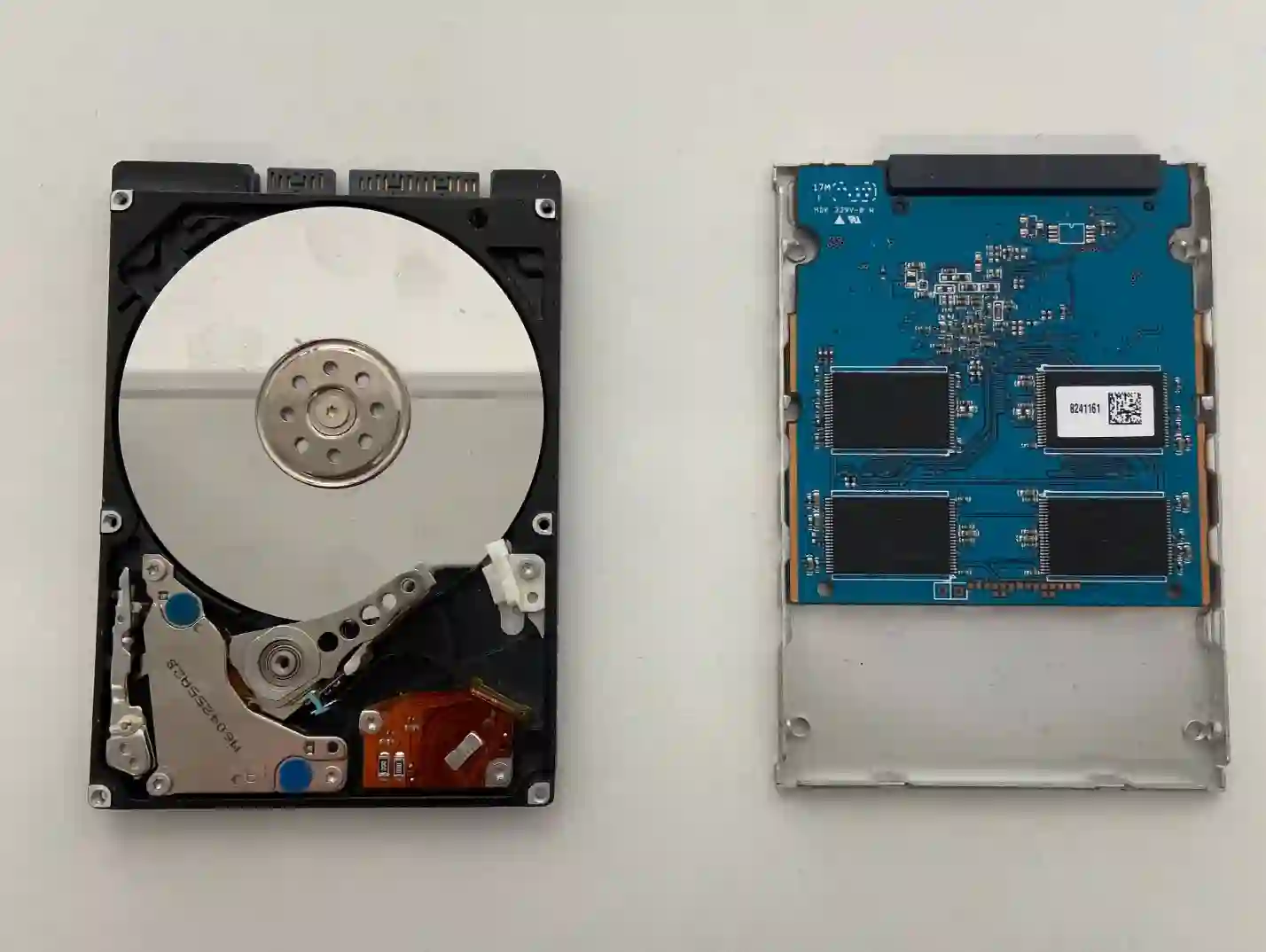
IdeaPad — why drive replacement is a common and rewarding upgrade
In IdeaPads, as budget series, manufacturers often fit slower or smaller drives to reduce the price. That’s why upgrading to a faster SSD is one of the most noticeable improvements for this series — the laptop speeds up significantly when starting the system and opening programs. Because parts for IdeaPad are widely available, selecting the right drive is usually not a problem.
When you’re looking for help with your IdeaPad
You find us after searching „Lenovo IdeaPad won’t turn on black screen”, „IdeaPad drive replacement Warsaw” or „IdeaPad slow to start what to do”.
Symptoms of a damaged or slow drive
- Laptop won’t start — black or blue screen
- Very long system and program loading times
- System freezes or restarts for no reason
- Strange noises from inside (with older HDD drives)
We check the drive with HD Tune — below 50 MB/s is a clear sign of trouble, above 200 MB/s is normal for a healthy SSD.
Apenfix technician
What happens if you delay
- Risk of complete loss of access to data on the drive
- Progressive slowdown and system freezing
- A damaged drive can stop working completely, without warning
How drive replacement works at our service centre
1. Free inspection
We measure drive speed using HD Tune, which takes 5–15 minutes.
2. Data backup
If the drive is working, we transfer your data — small amounts free of charge.
3. Installing the new drive
We install a new SSD and restore your data and system.
4. Testing and warranty
We test the speed and stability of the new drive and provide a minimum 3-month warranty.
Repair time may vary depending on parts availability and service centre workload.
IdeaPad drive replacement — we serve all of Warsaw
We accept IdeaPad laptops from clients in every Warsaw district — Śródmieście, Wola, Mokotów, Ochota, Żoliborz, Bemowo, Bielany, Ursynów, Praga-Południe, Praga-Północ, Targówek, Białołęka, Wawer, Włochy, Ursus, Wilanów, Rembertów and Wesoła — as well as from the surrounding areas.
We have more than one location in convenient parts of Warsaw, so getting to us is quick and easy wherever you live or work. Our current service point addresses are listed further down this page.
Why Apenfix
Frequently asked questions
Will I lose my data when replacing the drive in my IdeaPad?
If the drive is still working, we transfer the data before replacement. We transfer small amounts free of charge.
How do you know it’s definitely the drive?
We measure the drive speed using HD Tune — a result below 50 MB/s clearly indicates a problem.
What if the drive in my IdeaPad is already damaged?
We can attempt data recovery, and when combined with a new drive replacement, it works out more cost-effective than a separate order.
Which drive do you recommend for a Lenovo IdeaPad?
We select a drive appropriate for your IdeaPad’s capabilities and your needs — we more often recommend an SSD instead of an older HDD.
How long does a drive replacement in an IdeaPad take?
Usually 1–3 working days.
The exact cost of drive replacement in a Lenovo IdeaPad is determined individually after a free inspection. You’ll find the current price list under the button above.
Two service points in Warsaw
Visit whichever of our two locations is more convenient for you.
Location 1 — Wolska
Wolska 50A/Lokal 26
01-187 Warszawa
Location 2 — al. Szucha
al. Jana Chrystiana Szucha 1
00-580 Warszawa
See also
- Lenovo IdeaPad diagnostics
- Lenovo IdeaPad system installation
- Lenovo IdeaPad cooling system cleaning
- Lenovo ThinkPad Drive Replacement
