
Your Lenovo IdeaPad has stopped reading the drive, and you don’t have a backup of important files? Don’t panic — in many cases the data can be recovered, but what you do now matters. Repair usually takes 1–3 working days.
In short: if your Lenovo IdeaPad has stopped seeing data, the most important thing is not to overwrite anything on the drive, not to reinstall the system, and not to shut down or restart the laptop at all. The fewer actions you take on your own, the greater the chance of full data recovery from the IdeaPad.
Our experience with Lenovo IdeaPad
We’ve recovered data from 3 Lenovo IdeaPad laptops. This is Lenovo’s budget and mid-range series — the most popular line for home and study use, where SSD drives most often require thorough diagnostics.
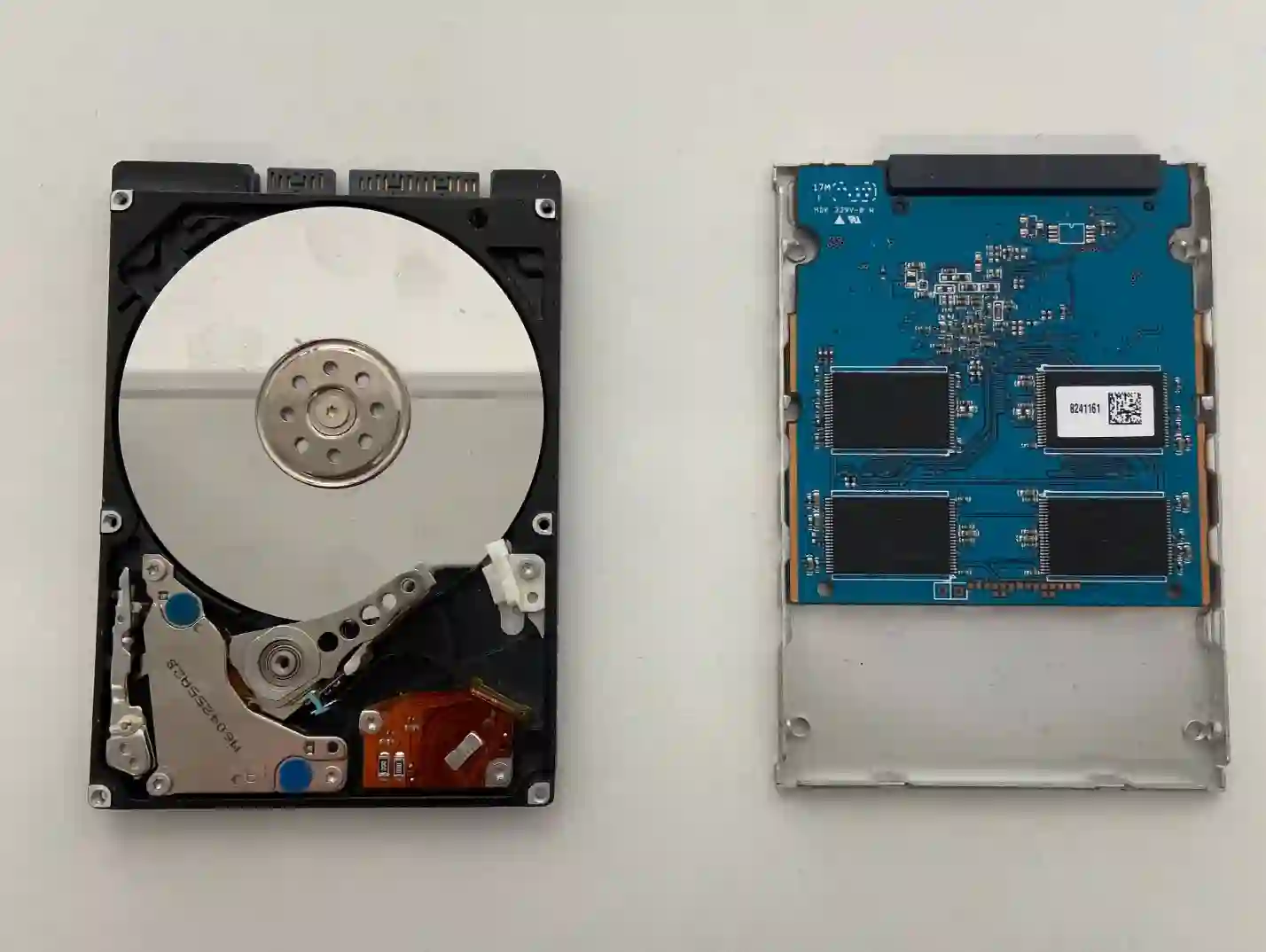
IdeaPad — school and student data worth saving quickly
The IdeaPad as an everyday laptop for study often stores coursework, notes or projects, the loss of which can be particularly painful in the short term. When recovering data, we always ask about alternative sources too — whether files were previously saved in the cloud on another device, sent by email, or whether there’s an old HDD lying at home from before switching to SSD, which can be surprisingly helpful.
When you’re looking for help with your IdeaPad
You find us after searching „Lenovo IdeaPad not seeing data on drive”, „data recovery IdeaPad Warsaw” or „how to recover files from laptop that won’t turn on”.
Symptoms requiring data recovery
- Laptop doesn’t see the drive or doesn’t recognise it
- Files suddenly become inaccessible or corrupted
- System won’t start and data wasn’t previously backed up
- Drive makes unusual sounds (with older HDDs)
Don’t overwrite anything on the drive, don’t reinstall the system, and don’t shut down the laptop at all — each such action reduces the chance of full data recovery.
Apenfix technician
What happens if you delay
- Each subsequent start-up of a damaged drive reduces the chance of recovery
- Risk of permanent loss of important files, photos or documents
- An unskilled attempt at self-repair can make the situation worse
How data recovery works at our service centre
1. Free inspection
We assess the drive’s condition and chances of data recovery; this takes 5–15 minutes.
2. Discussion of alternatives
We ask about cloud storage, emails and old drives that may already contain some of the files you need.
3. Data recovery
We attempt to recover data from the drive, depending on the type and extent of damage.
4. Data handover and warranty
We hand over the recovered files and provide a minimum 3-month warranty on the service performed.
Repair time may vary depending on parts availability and service centre workload.
IdeaPad data recovery — we serve all of Warsaw
We accept IdeaPad laptops from customers in every Warsaw district — Śródmieście, Wola, Mokotów, Ochota, Żoliborz, Bemowo, Bielany, Ursynów, Praga-Południe, Praga-Północ, Targówek, Białołęka, Wawer, Włochy, Ursus, Wilanów, Rembertów and Wesoła — as well as from the surrounding areas.
We have more than one location in convenient parts of Warsaw, so getting to us is quick and easy wherever you live or work. Our current service point addresses are listed further down this page.
Why Apenfix
Frequently asked questions
What should you do immediately when your IdeaPad stops recognising data?
Don’t write anything to the disk, don’t reinstall the system, and don’t shut down or restart the laptop. Bring it to the service centre as soon as possible.
What are the chances of recovering data from an SSD?
If the disk simply stopped reading, the chances are usually 70–80%. HDDs can almost always be recovered.
Can you recover data if the disk was encrypted?
Without the encryption key, it’s practically impossible, so it’s worth checking whether the key is saved somewhere.
Is it worth checking an old disk lying around at home?
Yes, if the laptop was previously upgraded from an HDD to an SSD, the old disk may still contain some of the files you need.
How long does data recovery from an IdeaPad take?
Usually 1–3 working days, depending on the extent of the disk damage.
The exact cost of data recovery from a Lenovo IdeaPad is determined individually after a free inspection. You’ll find the current price list under the button above.
Two service points in Warsaw
Visit whichever of our two locations is more convenient for you.
Location 1 — Wolska
Wolska 50A/Lokal 26
01-187 Warszawa
Location 2 — al. Szucha
al. Jana Chrystiana Szucha 1
00-580 Warszawa
See also
- Lenovo IdeaPad Disk Replacement
- Lenovo IdeaPad Diagnostics
- Lenovo IdeaPad Liquid Damage Repair
- Dell Latitude Data Recovery
