
Hard drive replacement in Asus laptops in Warsaw — your laptop won’t start, shows a black or blue screen, or you’re running out of space for games. We replace the drive, and in some models we can add a second one instead of replacing. Repair usually takes 1–3 working days.
In short: Hard drive replacement in Asus laptops in Warsaw starts with diagnostics — very often symptoms that look like a serious failure turn out to be a faulty drive. We also check whether your model has a free second M.2 slot, because then instead of replacing, you can add another drive. We service ROG, TUF, Vivobook and Zenbook series. Repair usually takes 1–3 working days.
Our experience — hard drive replacements in Asus laptops
At our service centre in Warsaw we’ve carried out 16 hard drive replacements in Asus laptops, and in total we’ve serviced over 200 laptops of this brand — from Vivobooks and Zenbooks to gaming ROG and TUF.
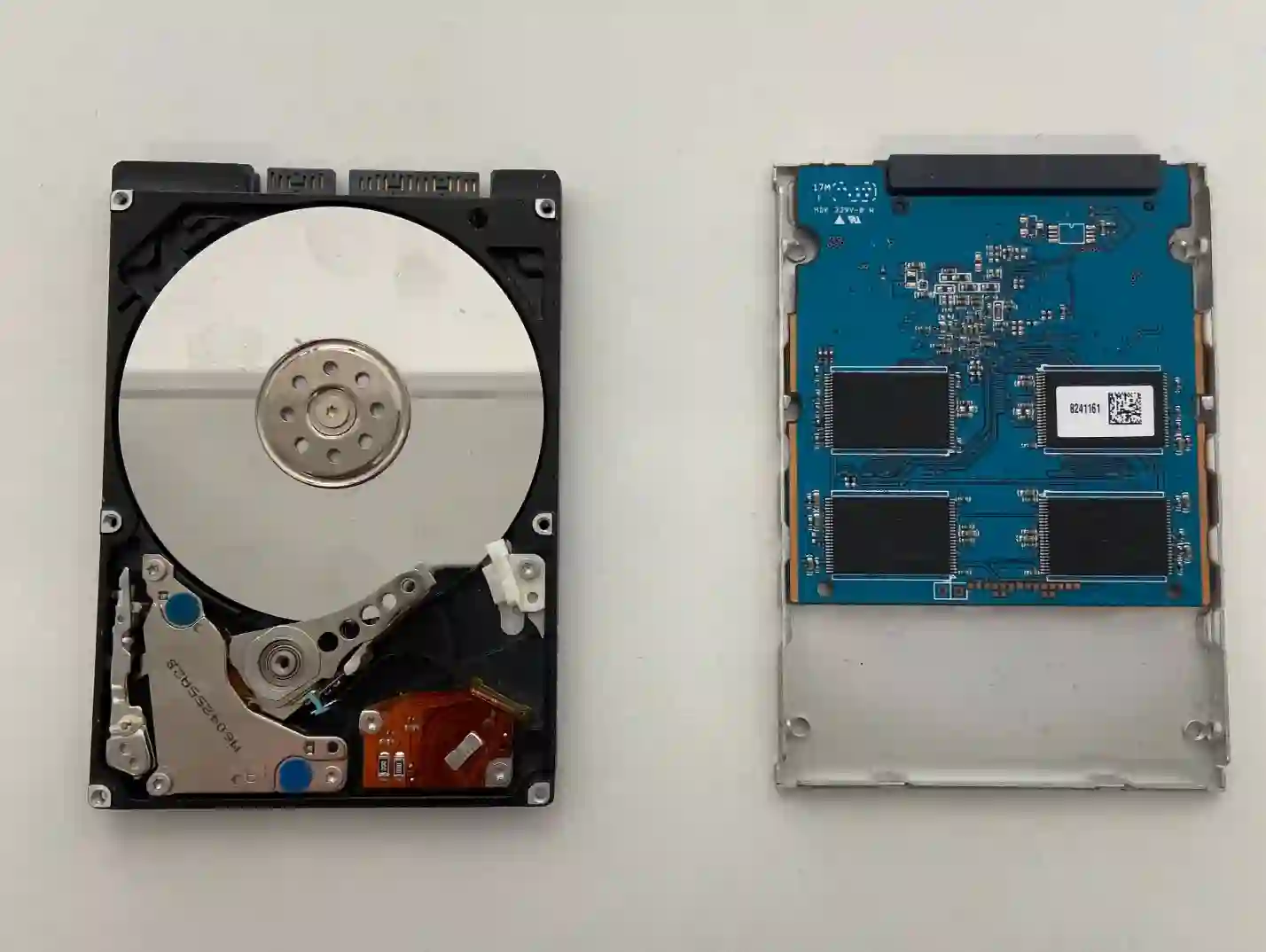
In ROG and TUF you often don’t need to replace anything — just add a second drive
This is information that saves money and nerves, and few people know about it when buying. Asus gaming laptops — ROG and TUF — very often have two M.2 slots, of which only one is occupied from the factory.
If you’re running out of space for games, you don’t need to replace the drive and transfer the entire system. Just add a second drive to the free slot — your existing drive stays untouched along with the system and data, and you gain additional space. It’s a faster and cheaper operation than a full replacement.
Asus produces such different models that two laptops of the same brand can differ from each other more than an Asus from a Lenovo or Dell. That’s why we treat each model individually.
Apenfix technician
That’s why we always start by checking what the configuration looks like in your specific model — how many slots it has, what type of drive it supports and whether you can add something instead of replacing.
Laptop won’t turn on? It’s very often the drive
Someone comes in and says their laptop has broken because it won’t start — there’s a black screen or blue screen. They report the fault as „laptop won’t turn on”. And after diagnostics it turns out it’s simply a problem with the drive. We replace the drive and the device works again.
Apenfix technician
So if your Asus has stopped starting, don’t assume the worst straight away. A free inspection will show whether the problem lies with the drive — and that’s one of the cheaper and quicker repairs.
When you’re looking for a laptop hard drive replacement
You end up here if you’re looking for answers to questions like: laptop won’t start black screen, blue screen on laptop, SSD upgrade cost or storage expansion in gaming laptop. All of these usually lead to one service — drive replacement or expansion.
Symptoms — when to replace the drive in your Asus laptop
- Laptop won’t start — black screen, system won’t boot
- Blue screen appearing at startup or during use
- Message saying no boot device found
- System freezes, files won’t open or disappear
- Not enough space for games — often adding a second drive is enough
It’s worth knowing that SSDs typically don’t slow down gradually — they usually either work normally or stop working altogether. That’s why sudden failure without warning signs is a typical scenario with these drives.
What about my data
That’s the first question from most customers. The answer depends on the condition of the old drive:
- Drive works — we transfer all data to the new drive
- Small amount of data — we transfer it free of charge when replacing the drive
- More data — we quote individually and always agree with the customer beforehand
- Drive damaged — we can recover data; when done alongside the replacement it works out cheaper, as we’re doing two services at once
- Adding a second drive — data isn’t touched at all, the system stays in place
We don’t delete anything without your consent. We always agree first on what to do with the contents of the old drive.
How we select a new drive
- We check how many slots your model has and which type of drive it supports — SATA or NVMe
- We determine whether replacing or adding a second drive is the better solution
- We select the capacity based on real needs, without overpaying
- We measure the new drive’s speed after installation — we check whether it’s running at full performance
How drive replacement works at our service centre
1. Diagnosis
We check whether the drive is actually the cause of the problem.
2. Slot check
We determine whether it’s possible to add a drive instead of replacing one.
3. Installation and data
We install the drive and transfer or recover data.
4. Testing and collection
We measure the drive’s speed and hand over the laptop ready to use.
The above describes how the process works at our service centre. This is not a DIY guide — with a damaged drive, unskilled attempts can make later data recovery more difficult, so we recommend contacting a service centre.
Asus laptop drive replacement — we serve all of Warsaw
We accept Asus laptops for drive replacement from customers in every Warsaw district — Śródmieście, Wola, Mokotów, Ochota, Żoliborz, Bemowo, Bielany, Ursynów, Praga-Południe, Praga-Północ, Targówek, Białołęka, Wawer, Włochy, Ursus, Wilanów, Rembertów and Wesoła — as well as from the surrounding areas.
We have more than one location in convenient parts of Warsaw, so getting to us is quick and easy wherever you live or work. Our current service point addresses are listed further down this page.
Why Apenfix
Frequently asked questions
How much does an Asus laptop drive replacement cost?
The price depends on the chosen drive and scope — replacement only, adding a second drive, or data transfer and system installation. Current rates can be found in the price list.
I have a ROG and I’m running out of space — do I need to replace the drive?
Often not. Asus gaming laptops usually have two M.2 slots, one of which is often free. In that case, you can simply add a second drive — the system and data remain untouched, and the operation is faster and cheaper.
My laptop won’t turn on — is it definitely the drive?
Very often, yes. A black or blue screen at startup is one of the most common symptoms of drive failure. A free inspection will show whether that’s the cause.
Will I lose my data when replacing the drive?
Not if you don’t want to. When the old drive is working, we transfer the data to the new one. For small amounts of data, we do this free of charge. If the drive is damaged, we can attempt data recovery.
How long does a drive replacement take?
Usually 1–3 working days. Simply adding a second drive can sometimes be done faster — data transfer or recovery takes more time.
Prices for all services can be found in our price list.
Two service points in Warsaw
Visit whichever of our two locations is more convenient for you.
Location 1 — Wolska
Wolska 50A/Lokal 26
01-187 Warszawa
Location 2 — al. Szucha
al. Jana Chrystiana Szucha 1
00-580 Warszawa
See also
- Dell drive replacement
- Lenovo drive replacement
- Asus system installation
- Asus cooling system cleaning
