
Cooling system cleaning with liquid metal in Asus laptops in Warsaw — the fan runs loudly, the laptop heats up under the keyboard or thermal throttling occurs under load. We clean the cooling system and apply liquid metal paste where it makes sense. Repair usually takes 1–3 working days.
In brief: Cooling system cleaning in Asus laptops in Warsaw starts with measuring temperatures under load, followed by complete removal and cleaning of the fan — not just blowing it out. In more powerful ROG and TUF series configurations, we use liquid metal paste, which conducts heat better than standard thermal paste. Repair usually takes 1–3 working days.
Our experience — cooling system cleaning with liquid metal in Asus laptops
At our service centre in Warsaw, we have carried out 7 cooling system cleanings using liquid metal in Asus laptops. We most often see models from the ROG and TUF series.
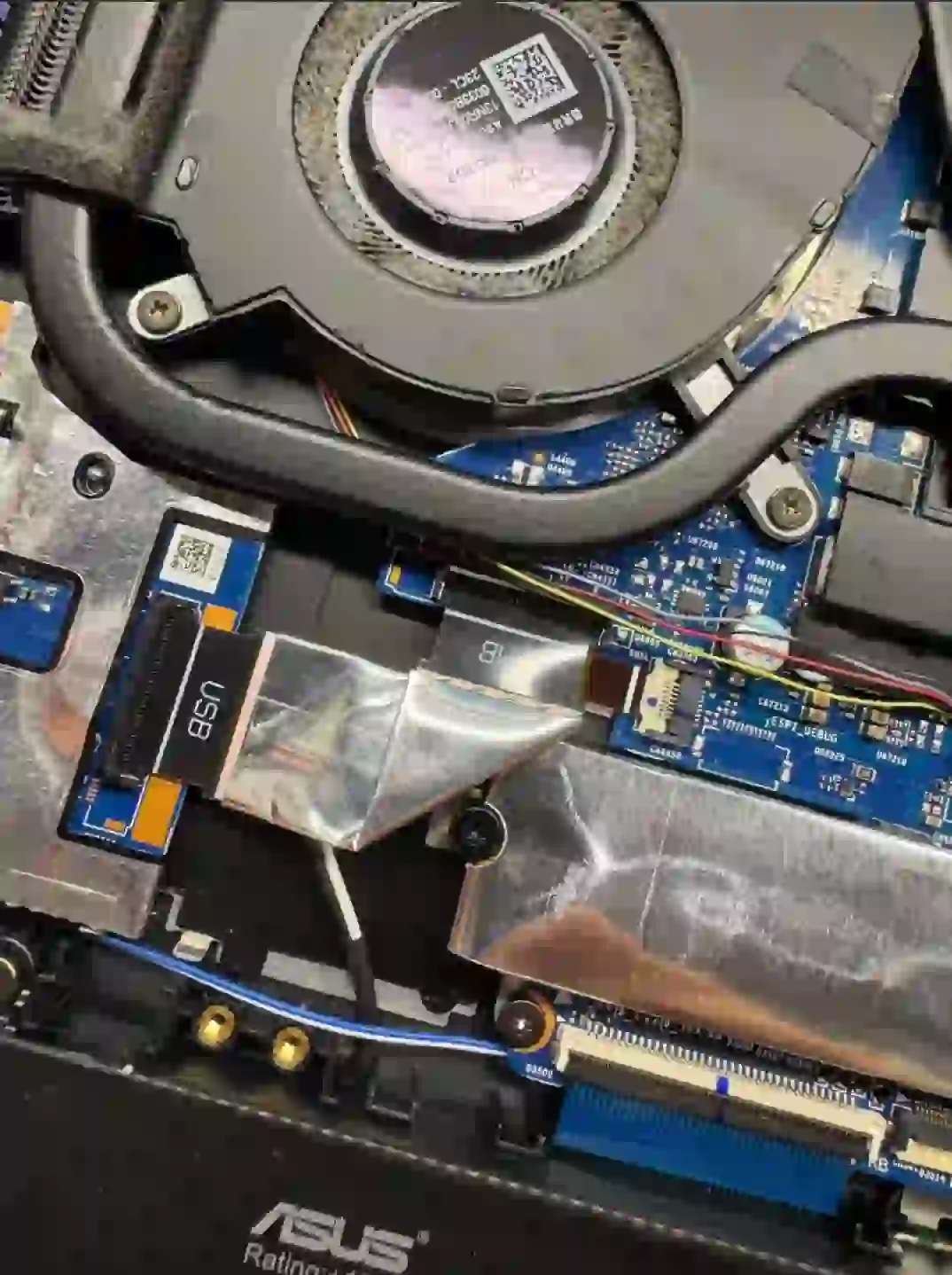
Asus ROG and TUF — why liquid metal makes sense here
Asus models differ from each other in cooling system design more than in many other brands — the biggest difference concerns the cooling system itself. In more powerful gaming laptops from the ROG and TUF series, where the processor and graphics card generate a lot of heat under load, standard thermal paste may not be sufficient — in such cases we use liquid metal paste, which conducts heat more effectively and helps avoid throttling during extended work under full load.
When you’re looking for Asus cooling system cleaning
You usually land on this page when searching for answers to questions like „Asus ROG running loud”, „Asus laptop heating up and slowing down”, „Asus TUF throttling” or „is liquid metal worth it for a gaming laptop”. We check all these symptoms the same way — by measuring temperatures under load.
Symptoms — cooling system problem in Asus laptop
- Fan runs loudly, even under light load
- Laptop heats up underneath or around the keyboard area
- Laptop shuts down on its own during intensive work or gaming
- Noticeable performance drop under load — throttling
- Processor or graphics card temperatures rise faster than before
For more powerful gaming laptops, we always recommend liquid metal paste — on Asus ROG and TUF models, the difference in temperatures under full load is clearly noticeable compared to standard paste.
Apenfix technician
What happens if you delay cooling system cleaning
Clogged cooling and drying paste make the problem worse over time, instead of resolving on its own.
- Risk of graphics card or processor damage increases
- Overheating also puts strain on the motherboard
- The battery may swell due to high temperature
- Laptop performance drops more and more under load
How Asus cooling system cleaning works at our service centre
1. Temperature measurement
We measure temperatures under load to assess the scale of the problem before disassembling the laptop.
2. Disassembly and fan cleaning
We remove and thoroughly clean the fan, instead of just blowing through it.
3. Liquid metal application
We always replace the thermal paste — for more powerful configurations, we use liquid metal.
4. Testing after reassembly
We measure temperatures under load again to confirm the effect of the repair.
Above, we describe how the process works at our service centre. This is not a DIY guide — applying liquid metal yourself without proper experience risks short-circuiting the motherboard, as it is electrically conductive.
Asus Cooling System Cleaning — We Serve All of Warsaw
We accept Asus laptops with cooling problems from customers in every district of Warsaw — Śródmieście, Wola, Mokotów, Ochota, Żoliborz, Bemowo, Bielany, Ursynów, Praga-Południe, Praga-Północ, Targówek, Białołęka, Wawer, Włochy, Ursus, Wilanów, Rembertów and Wesoła — as well as from the surrounding areas.
We have more than one location in convenient parts of Warsaw, so getting to us is quick and easy wherever you live or work. Our current service point addresses are listed further down this page.
Why Apenfix
Frequently asked questions
Is liquid metal safe for a laptop?
Yes, if applied correctly. Liquid metal is electrically conductive, so it requires precision and experience — that’s why we only use it where it will genuinely improve temperatures.
Does every Asus laptop qualify for liquid metal?
Not always — we recommend it mainly for more powerful gaming models from the ROG and TUF series, where standard thermal paste can’t handle the amount of heat generated.
How much does cooling system cleaning with liquid metal cost?
The price depends on the laptop model and the scope of work. You’ll find current rates in our price list.
What warranty do you offer on this service?
We provide a minimum 3-month warranty on cooling system cleaning.
How long does Asus cooling system cleaning take?
Usually 1–3 working days, counting from the end of diagnostics.
Prices for all services can be found in our price list.
Two service points in Warsaw
Visit whichever of our two locations is more convenient for you.
Location 1 — Wolska
Wolska 50A/Lokal 26
01-187 Warszawa
Location 2 — al. Szucha
al. Jana Chrystiana Szucha 1
00-580 Warszawa
